Need help?
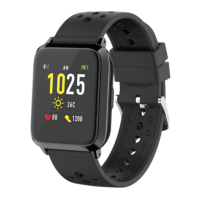
Do you have a question about the volkano Serene VK-5072-BK and is the answer not in the manual?
Visual guide for connecting and charging the device using the USB adaptor.
Instructions for powering the watch on and off using the virtual key.
Guide to download and install the companion app via website or QR code.
Overview of the watch's controls and their functions.
Basic operational steps like turning on and confirming actions.
Details on tracking daily steps, calories, and distance.
Using the watch for various sports activities like walking and running.
Instructions on monitoring heart rate and viewing data.
How the watch tracks and reports sleep patterns.
Receiving and viewing notifications like calls and messages.
Overview of daily activity, sleep, and heart rate metrics in the app.
Instructions for updating the watch's firmware.
 General
| Battery Capacity | 180 mAh |
|---|---|
| Water Resistance | IP67 |
| Connectivity | Bluetooth |
| Strap Material | Silicone |
| Model | VK-5072-BK |
| Category | Watch |
| Battery Life | Up to 7 days |
| Compatibility | Android 5.0 or Higher; iOS 9.0 or Higher |
| Sensors | Heart Rate |


 To Next Page