15
Steering wheel functions
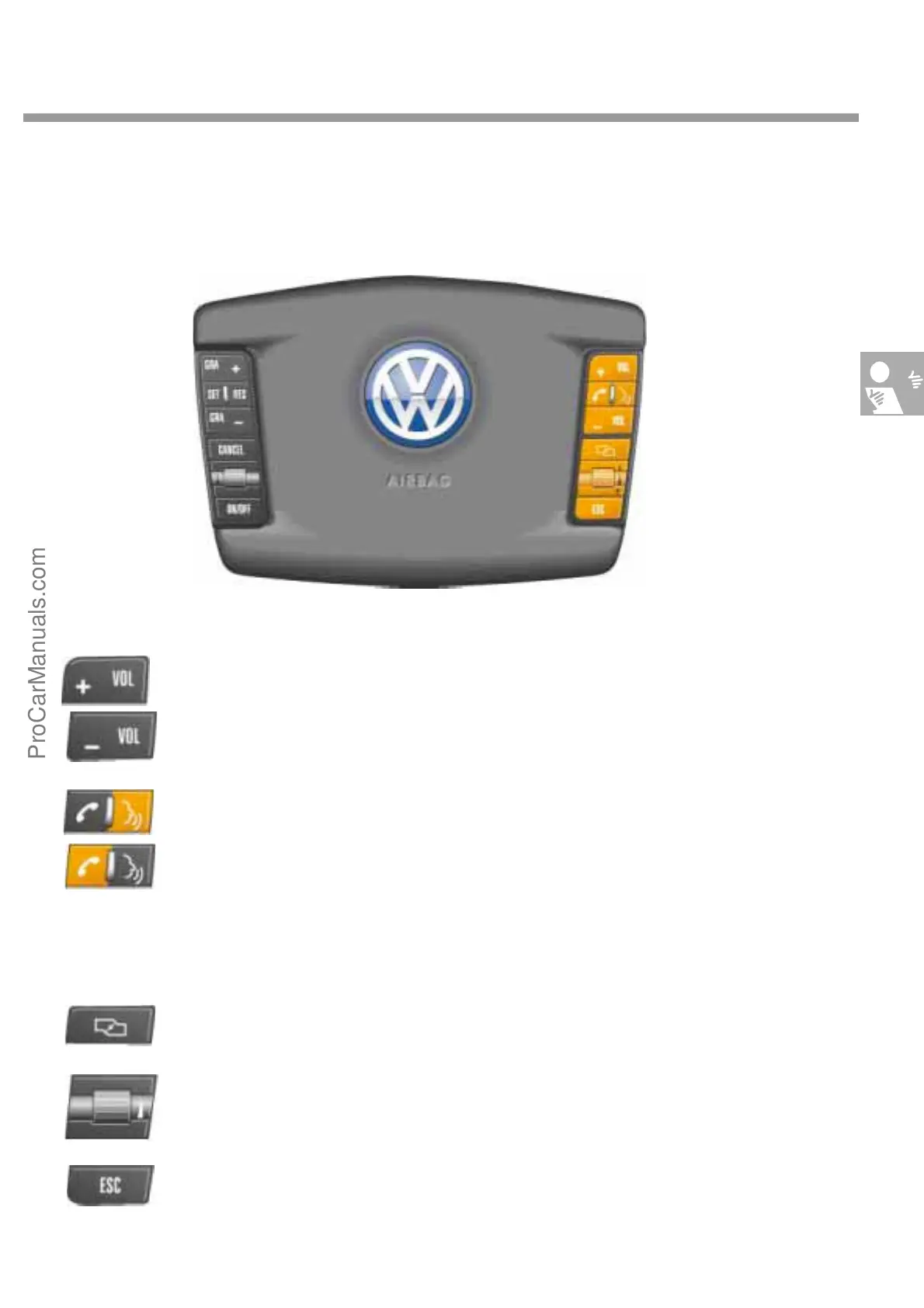
The operating elements for the Infotainment system are arranged on the right side of the steering wheel.
+Vol and -Vol adjust the volume.
switches language input on. When language input is active, certain functions, e.g. enter-
ing the mobile phone pin code, can be triggered directly by voice. If the vehicle is not
equipped with language input, this button repeats the last speech output from the navi-
gation system.
The button with the telephone receive icon is for setting up or cancelling a telephone
connection.
browses between the 7 different screen displays in the dash panel insert.
is a thumbwheel. Selects values from a list or press to confirm selection.
displays the previous screen contents or cancels a process.
S274_115
S274_046 - 052
●
Button functions
ProCarManuals.com


 To Next Page