20
CD player
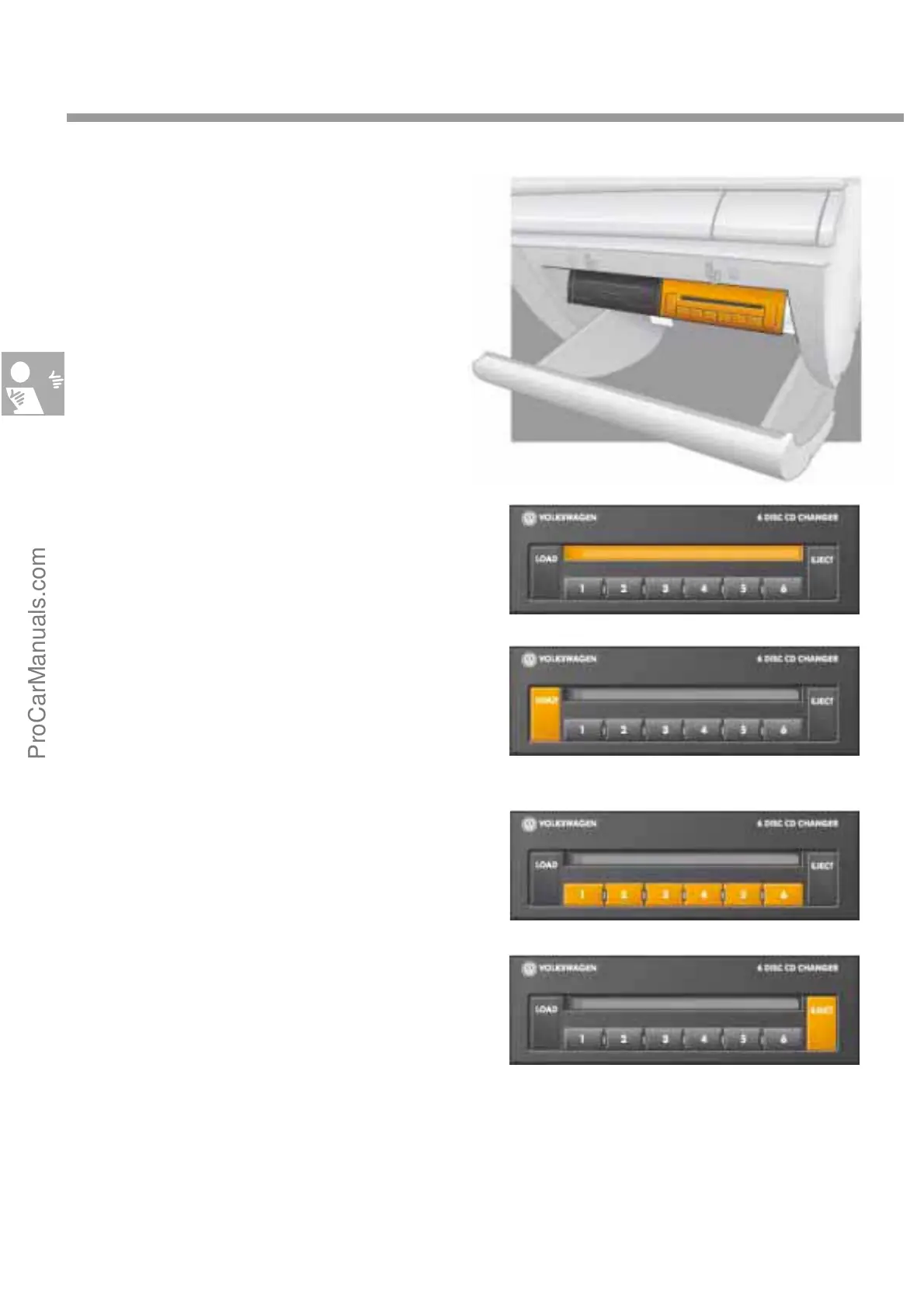
The CD changer of the CD player can contain
six music CDs. They are loaded into the changer
through the CD slot.
To change a CD, first press the Eject button.
Buttons 1 to 6 determine which CD is ejected.
To load a CD, first press the "Load" button. The
MF display on the CD player then start to flash
slowly.
Only when the LED starts to flash fast may the
CD be inserted in the CD tray. Then press buttons
1 to 6 to select the place where the CD is loaded.
If you press the Load button for longer than three
seconds, a fast load function is tripped. This
means that empty trays are automatically set to
ready and can be loaded in quick succession.
Operating elements
S274_079
S274_080
S274_082
S274_081
ProCarManuals.com


 To Next Page