11
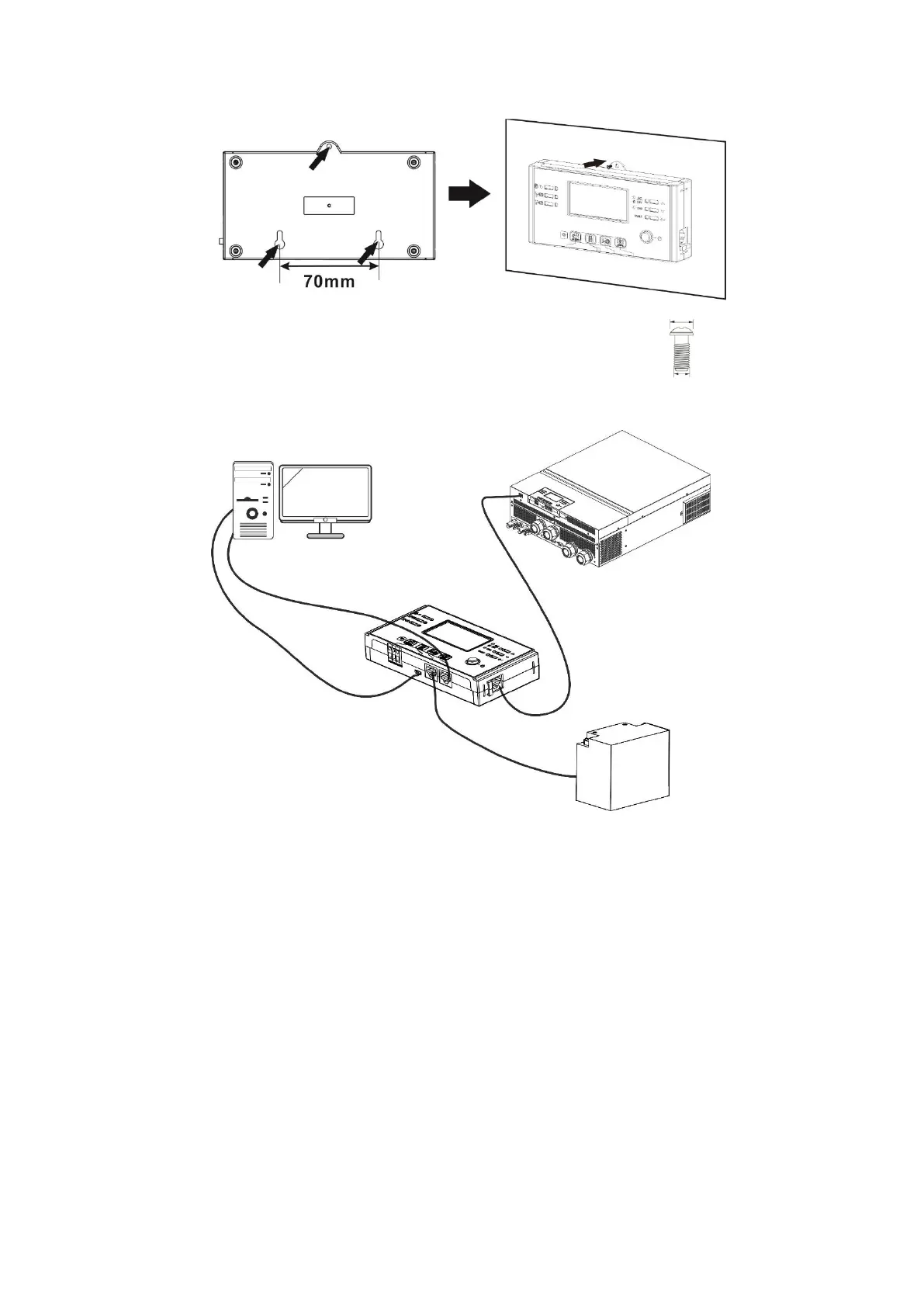
Step 2. Prepare your mounting holes in the marked locations as shown in the illustration below. The LCD
module then can be securely mounted to your desired location.
Note: Wall installation should be implemented with the proper screws to the right.
Step 3. After LCD module is installed, connect LCD module to the inverter with an optional RJ45
communication cable as shown below.



 To Next Page