3
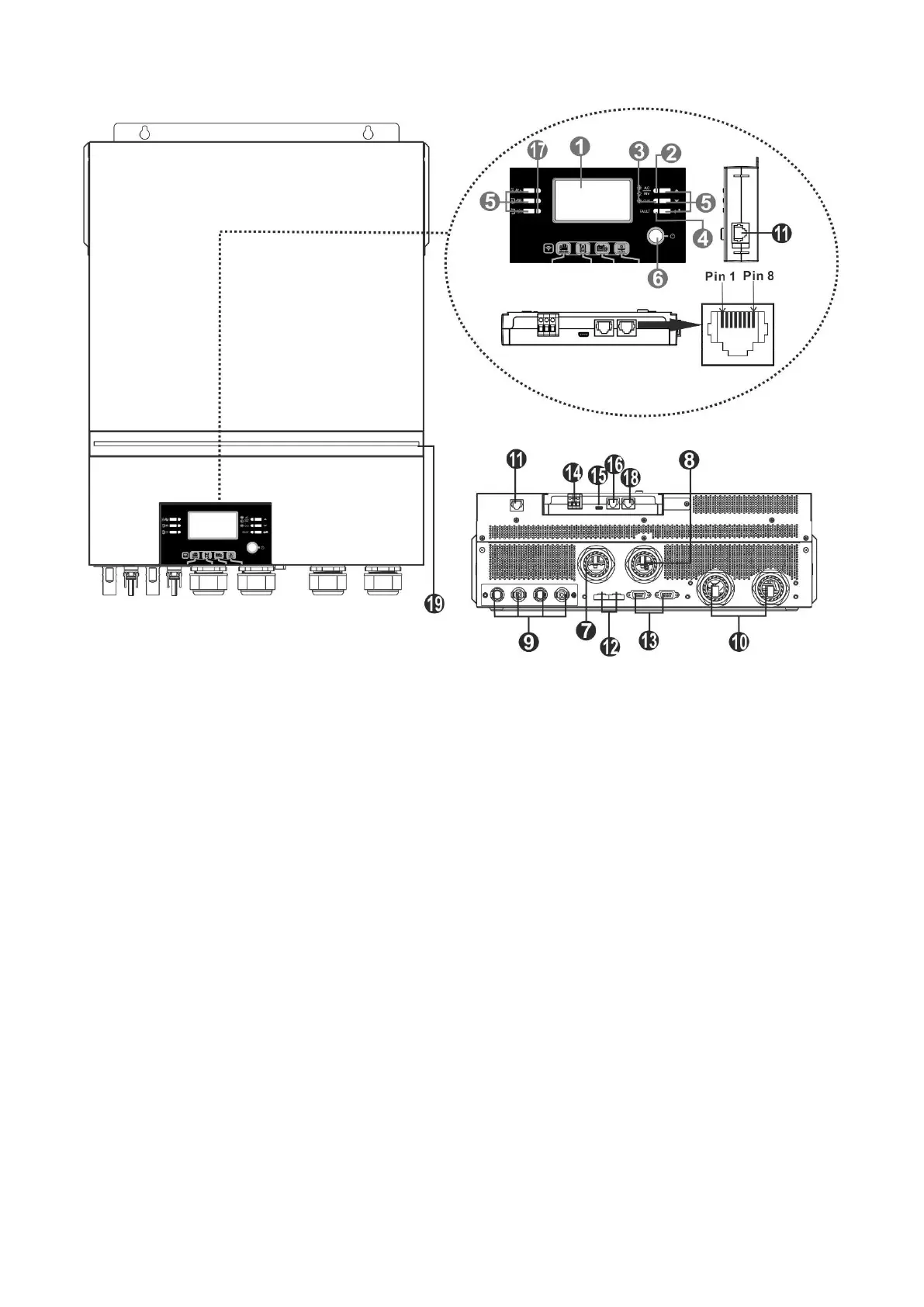
Product Overview
NOTE: For parallel installation and operation, please check
Appendix I.
1. LCD display 12. Current sharing port
2. Status indicator 13. Parallel communication port
3. Charging indicator 14. Dry contact
4. Fault indicator 15. USB port as USB communication port and USB function
5. Function buttons port
6. Power on/off switch 16. BMS communication port
7. AC input connectors 17. Output source indicators (refer to OPERATION/Operation
8. AC output connectors (Load connection) and Display Panel section for details) and USB function
9. PV connectors setting reminder (refer to OPERATION/Function Setting for
10. Battery connectors the details)
11. Remote LCD module communication 18. RS-232 communication port
Port 19. RGB LED bar (refer to LCD Setting section for the details)



 To Next Page