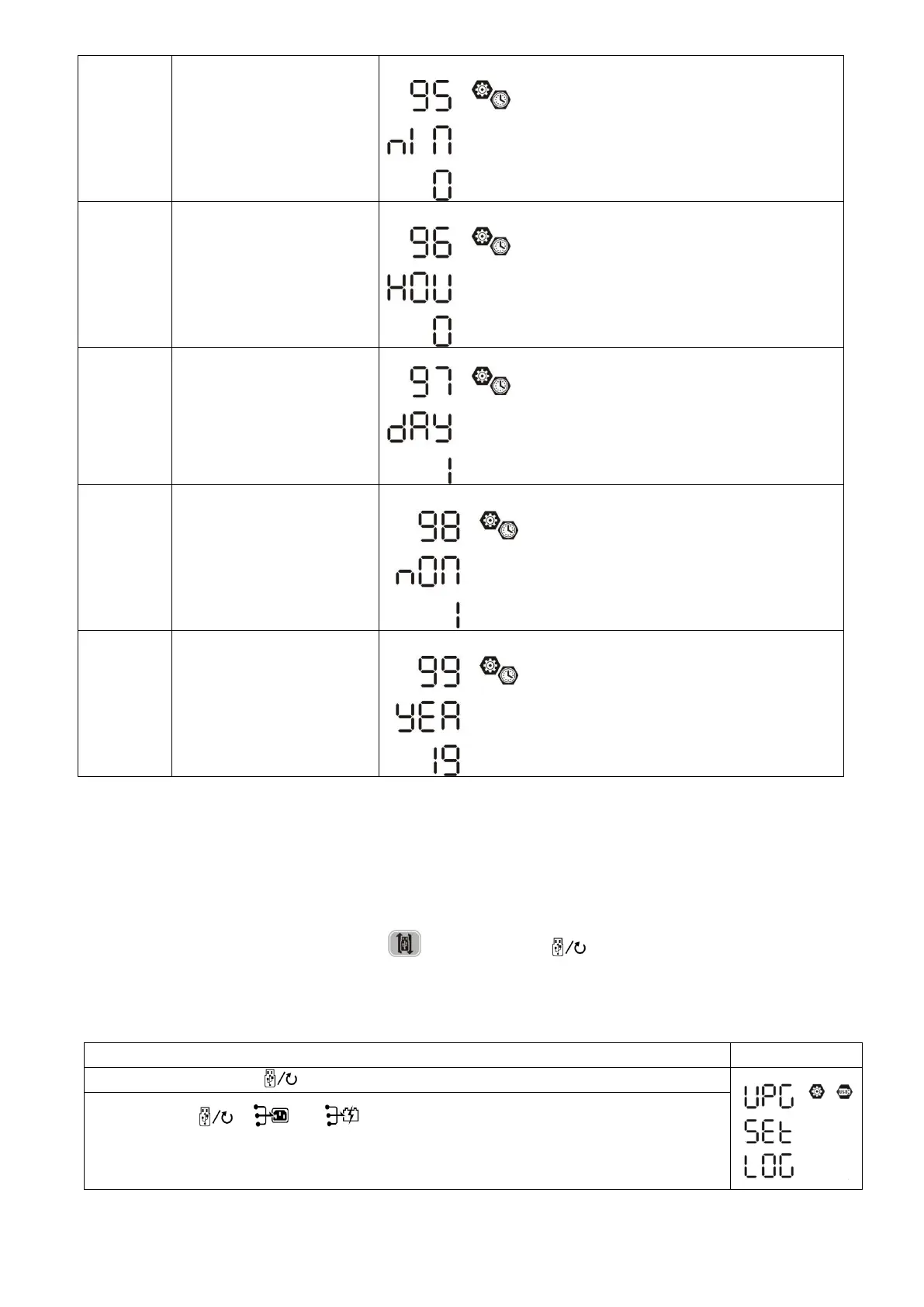
For minute setting, the range is from 0 to 59.
For hour setting, the range is from 0 to 23.
For day setting, the range is from 1 to 31.
For month setting, the range is from 1 to 12.
For year setting, the range is from 17 to 99.
Function Setting
There are three function keys on the display panel to implement special functions such as USB OTG, Timer
setting for output source priority and timer setting for charger source priority.
1. USB Function Setting
Insert an OTG USB disk into the USB port ( ). Press and hold “ ” button for 3 seconds to enter USB
Setup Mode. These functions including inverter firmware upgrade, data log export and internal parameters re-
write from the USB disk.
Step 1: Press and hold “ ” button for 3 seconds to enter USB function setting mode.
Step 2: Press “ ”, “ ” or “ ” button to enter the selectable setting programs
(detail descriptions in Step 3)..



 To Next Page