
 Need help?
Do you have a question about the Voltas IT OBDeleven and is the answer not in the manual?
Avoid disassembling, puncturing, dropping, or modifying the device to prevent harm to your vehicle.
Wireless data transfer may interfere with nearby devices.
Consult vehicle representatives for OBD II port location and qualified personnel for proper connection.
Do not expose the device to open flame sources or excessive temperatures.
The device is susceptible to water and humidity; do not submerge or expose it to water.
Installation or handling during a lightning storm is prohibited.
Do not use OBDeleven if it distracts the driver or causes inconvenience due to OBD II placement.
The device uses a SELV limited power source with a nominal voltage of 12 V DC.
Download the application from the App Store (for iOS) or Google Play (for Android devices).
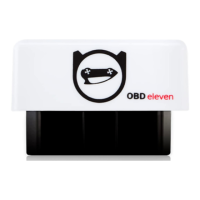
Plug the device into the OBD-II port, start the engine, and check the power LED status.
The OBD-II port is typically under the dashboard, left of the steering column, or behind a cover.
Create an account by connecting with Facebook, Twitter, or signing up with an email address.
Pair the device with your smartphone via Bluetooth, open the app, and follow pairing instructions.
Enter a 6-digit code to create a unique device password for protection against unauthorized access.
Activate your PRO license if you purchased a PRO or ULTIMATE pack; it activates automatically if already owned.
Credits enable one-touch coding for activating/disabling functions, visual features, and car adjustments.
Works with iOS 11+, Android 4.4+, and VAG group vehicles manufactured after specific dates.
Access car data including VIN identification, trouble codes, battery status, and live data charts.
PRO license unlocks advanced functions like coding, long coding, adaptation, and security access.
Provides size, weight, power consumption, input current, voltage, Bluetooth version, and color.
Steps to resolve issues when the phone cannot find the OBDeleven device via Bluetooth.
Contact support if the device is plugged in but the indicator light is not active.
Details 14-day return policy, conditions for hardware/virtual items, and non-refundable costs.
Covers manufacturing defects for 24 months, with exclusions for unauthorized resellers or misuse.
Contact the help platform for warranty service, responsible for packaging, shipping, and providing information.
Includes FCC, NCC statements, Waste Electrical Directive, and Declaration of Conformity for Directive 2014/53/EU.
Device complies with Part 15 of FCC Rules, subject to conditions preventing harmful interference.
Equipment complies with FCC radiation exposure limits for an uncontrolled environment.
 General
| Brand | Voltas IT |
|---|---|
| Model | OBDeleven |
| Category | Diagnostic Equipment |
| Language | English |

 To Next Page