VOLTECH AT3600 USER MANUAL INSTALLING THE TESTER
2.5. SERVER HARDWARE CONNECTIONS
In some applications, you may wish to position the Server PC some distance away
from the tester, which will require a cable longer than the one supplied. The AT
Series Server Port connector details are shown in Chapter 8 to enable you to make up
a cable of the length you require.
To use more than one AT Series Tester with the same Server host PC, an intelligent
COM Port expansion card will be required. The Server application supports the
DIGIBOARD XE, eight channel device.
Results
Programs
Server port
Server PC
Before installing an expansion card, ensure that the PC is switched off and that you
follow all of the manufacturers instructions. All supporting software must also be
installed before attempting to configure the Server application.
PC COM PORT CONFIGURATION
Before proceeding any further, check within the MS Windows Control Panel to
ensure that the desired COM Port(s) are recognized by Windows.
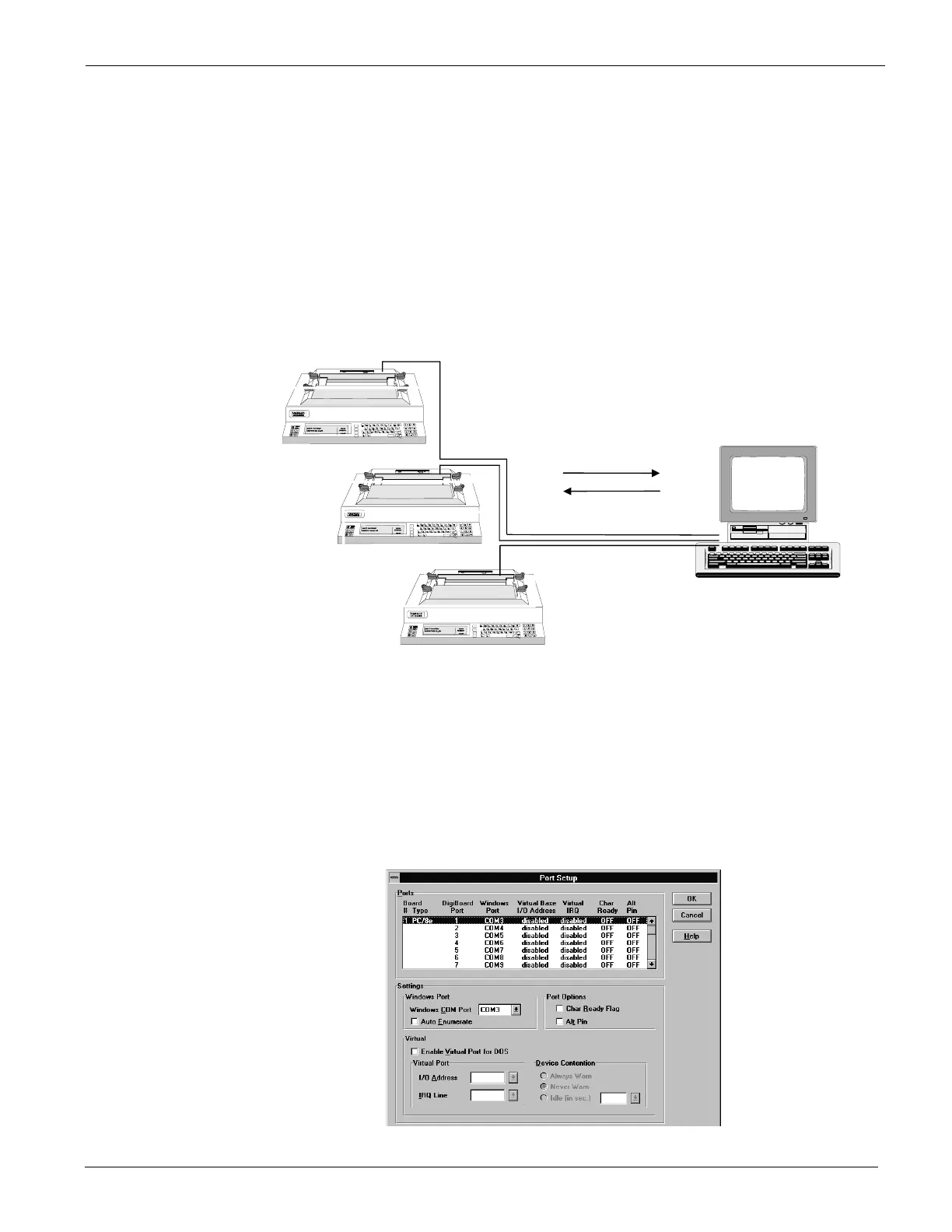
Example of setup for DIGIBOARD XE
GETTING STARTED VPN 98 - 024 PAGE 2.2.5.


 To Next Page
 Loading...