4.2 Measurement of AC/DC voltage
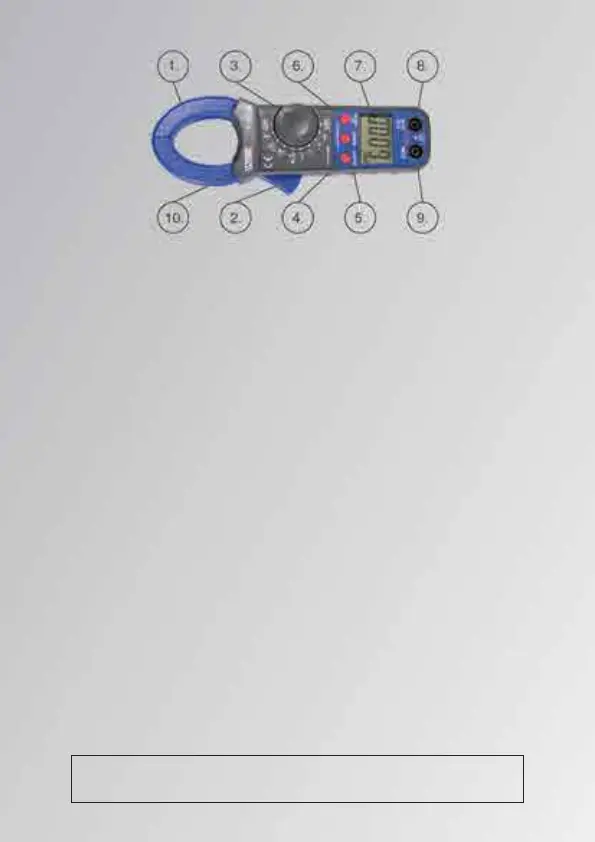
Turn the Rotary switch to “V”. Then plug black lead in “COM” socket, and plug red lead
in “V/Ω” socket. connect the test lead with the two ends of the circuit and then directly read
the reading on the LCD display
NOTE:
1. The inrush measuring funciton can only be change range manually, before the test,if
the voltage is unknown, manually set the measuring range to 600V and then press the PH
key to enter the INRUSH measuring function.
2. Don't measure the peak voltage more than 600V, otherwise it might damage the
instrument ,if the screen only displays OL, it means that the tested voltage is higher than
600V.
3. Presse the SRLECT key in the ACV function to enter the voltage frequency measure-
ment mode, it can measure the the frequency range from 10Hz to 100KHz with voltage
higher than AC 30V~600V.
4.3.1 DC current measurement
Turn rotary switch to“DCA”range, if it isn’t displaying zero ,press “ZERO” button
until zero displayed on the LCD. Press the trigger, opens the mouth of the clamp, and hold
a wire ( put the wire in the clamp center ), read the reading directly.
4.3.2 AC current measurement
Turn rotary switch to“~A” range. Press the trigger, opens the mouth of the clamp,
and hold wire ( put the wire in the clamp center ), read the reading directly
NOTE:
1.INRUSH measuring can only be manually setting range. when the current value being
measuring is unknow, turn the rotary switch to 600A and press INRUSH key to entry
INRUSH measuring funciton.
2. When measuring current ,the clamp might hold only one wire,it is null to catch one
more another wire
4.4 Measurement of resistance,continuity and forward Voltage drop of diode
Warning! When measurement of resistance or continuity,
make sure that no voltage is with the circuit and components.
4.2 Measurement of AC/DC voltage
Turn the Rotary switch to “V”. Then plug black lead in “COM” socket, and plug red lead
in “V/Ω” socket. connect the test lead with the two ends of the circuit and then directly read
the reading on the LCD display
NOTE:
1. The inrush measuring funciton can only be change range manually, before the test,if
the voltage is unknown, manually set the measuring range to 600V and then press the PH
key to enter the INRUSH measuring function.
2. Don't measure the peak voltage more than 600V, otherwise it might damage the
instrument ,if the screen only displays OL, it means that the tested voltage is higher than
600V.
3. Presse the SRLECT key in the ACV function to enter the voltage frequency measure-
ment mode, it can measure the the frequency range from 10Hz to 100KHz with voltage
higher than AC 30V~600V.
4.3.1 DC current measurement
Turn rotary switch to“DCA”range, if it isn’t displaying zero ,press “ZERO” button
until zero displayed on the LCD. Press the trigger, opens the mouth of the clamp, and hold
a wire ( put the wire in the clamp center ), read the reading directly.
4.3.2 AC current measurement
Turn rotary switch to“~A” range. Press the trigger, opens the mouth of the clamp,
and hold wire ( put the wire in the clamp center ), read the reading directly
NOTE:
1.INRUSH measuring can only be manually setting range. when the current value being
measuring is unknow, turn the rotary switch to 600A and press INRUSH key to entry
INRUSH measuring funciton.
2. When measuring current ,the clamp might hold only one wire,it is null to catch one
more another wire
4.4 Measurement of resistance,continuity and forward Voltage drop of diode
Warning! When measurement of resistance or continuity,
make sure that no voltage is with the circuit and components.
5.


 To Next Page
 Loading...