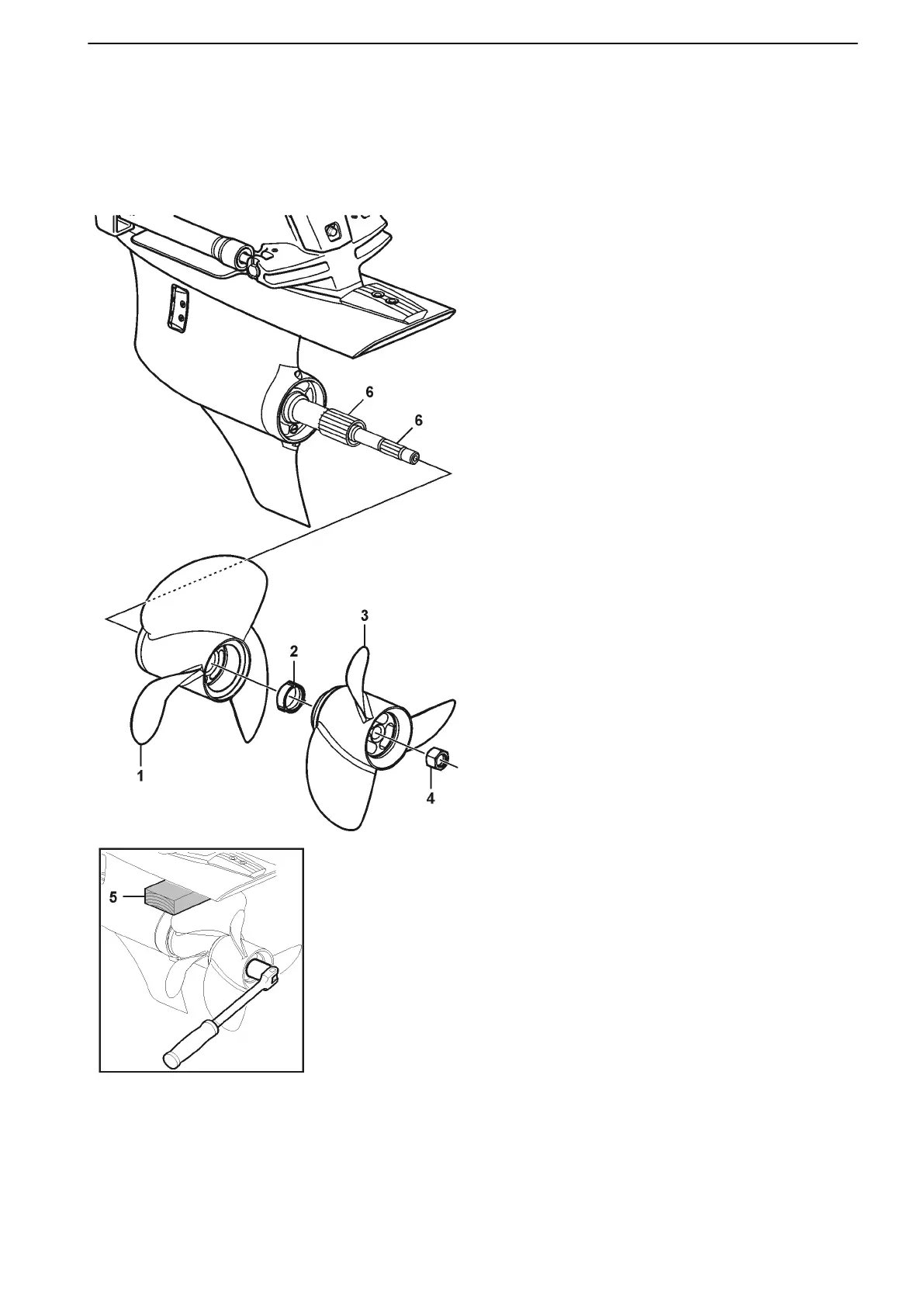
Removing the DPS-A Propeller
NOTICE! This “get home” (emergency) procedure will
require you to have tools and spare prop(s) and nuts
on hand.
Special tool P/N 3862797 is needed to remove the
front propeller nut on DPS-A drives.
51775
1. Turn ignition switch to RUN (key on, engine off).
2. Tilt drive up.
3. Turn ignition switch off and remove key.
4. Use propeller tool (P/N 3862808) or 30 mm
socket and rachet to remove rear propeller nut 4.
Use a block of soft wood 5 between the cavitation
plate and the front propeller, to stop the propeller
shafts from turning, so the nut can be loosened.
NOTICE! Blades of aluminum propellers may
bend when using the wood to stop the shafts from
turning. Proceed slowly and check for bending
blades. If propellers appear to bend, refer to the
Do It Yourself manual for an alternate procedure
or contact your dealer.
5. Remove rear propeller 3.
6. Use propeller tool (P/N 3862797) and rachet to
remove front propeller nut 2.
7. Remove front propeller 1.
NOTICE! Propeller may be stuck to shaft. Tap the
forward edge of the propeller blades LIGHLY with
a NON-METALLIC hammer. If the propeller still
can not be removed, contact your dealer.
Regular removal of the propellers and re-greas-
ing the splines of the shafts 6 and hubs helps
reduce the chances of the propeller sticking.
8. Clean the propeller shafts. Inspect for fishing line
or other debris; remove if present.
9. Inspect shaft seals; correct if leaking (see dealer).
If reinstalling the propellers, clean the splines in
the hubs (inside).
Troubleshooting
47701898 12-2010 121



 To Next Page