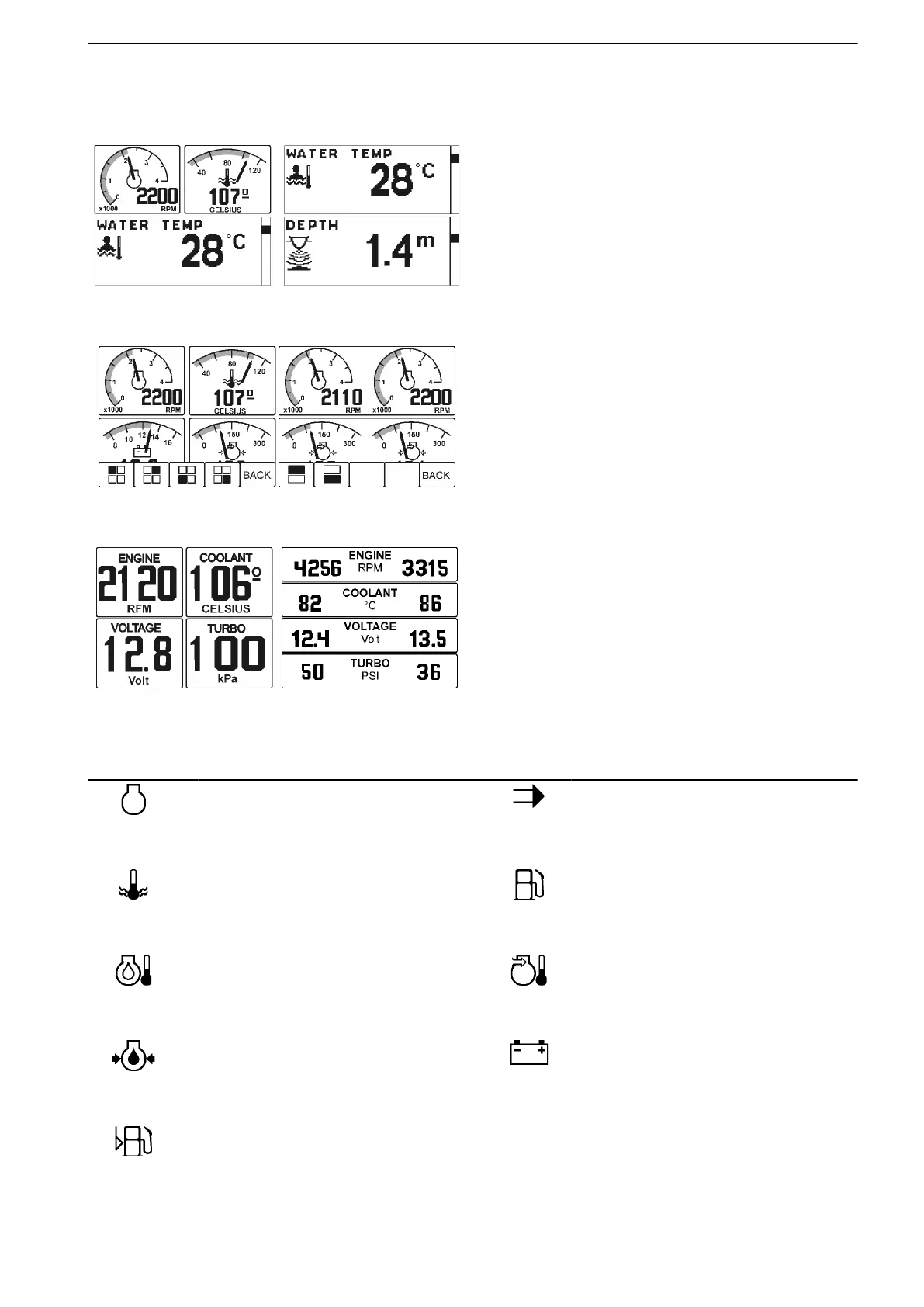
MULTI Page (Button 2)
1
51278
2
50879
3
51277
Enter the MULTI page by pushing button 2. There are
three window types available on the MULTI page:
1. EVC Basic Window. For additional informa-
tion, please see EVC Basic Window.
2. Pointer Instrument Window
3. Digital Number Window
Alternate between these (or combinations of these)
windows by pushing button 2 (”MULTI”) repeatedly.
When displaying operating information in pointer
instrument or digital number windows, the information
shown in the window can be set according to prefer-
ences.
When on the MULTI page, push any button to bring up
the guiding icons. Push button 5 (indicated with an
arrow icon) and icons representing the windows (as
highlighted in black) will appear. Alter the information
in a window by pushing the button with the corre-
sponding icon repeatedly.
If the selected information is not available, the image
in the pointer instrument window will lack the gauge
needle. In a digital number window, “—” will be shown,
instead of the digits.
Icon Indicated Function Icon Indicated Function
50884
Engine speed
50889
Speed
50885
Coolant temperature
50890
Fuel consumption/time
50886
Engine temperature
50891
Intake Manifold Air Temperature
50887
Oil pressure (current)
50892
Voltage
50893
Fuel level
Instruments and Controls
47701898 12-2010 25



 To Next Page