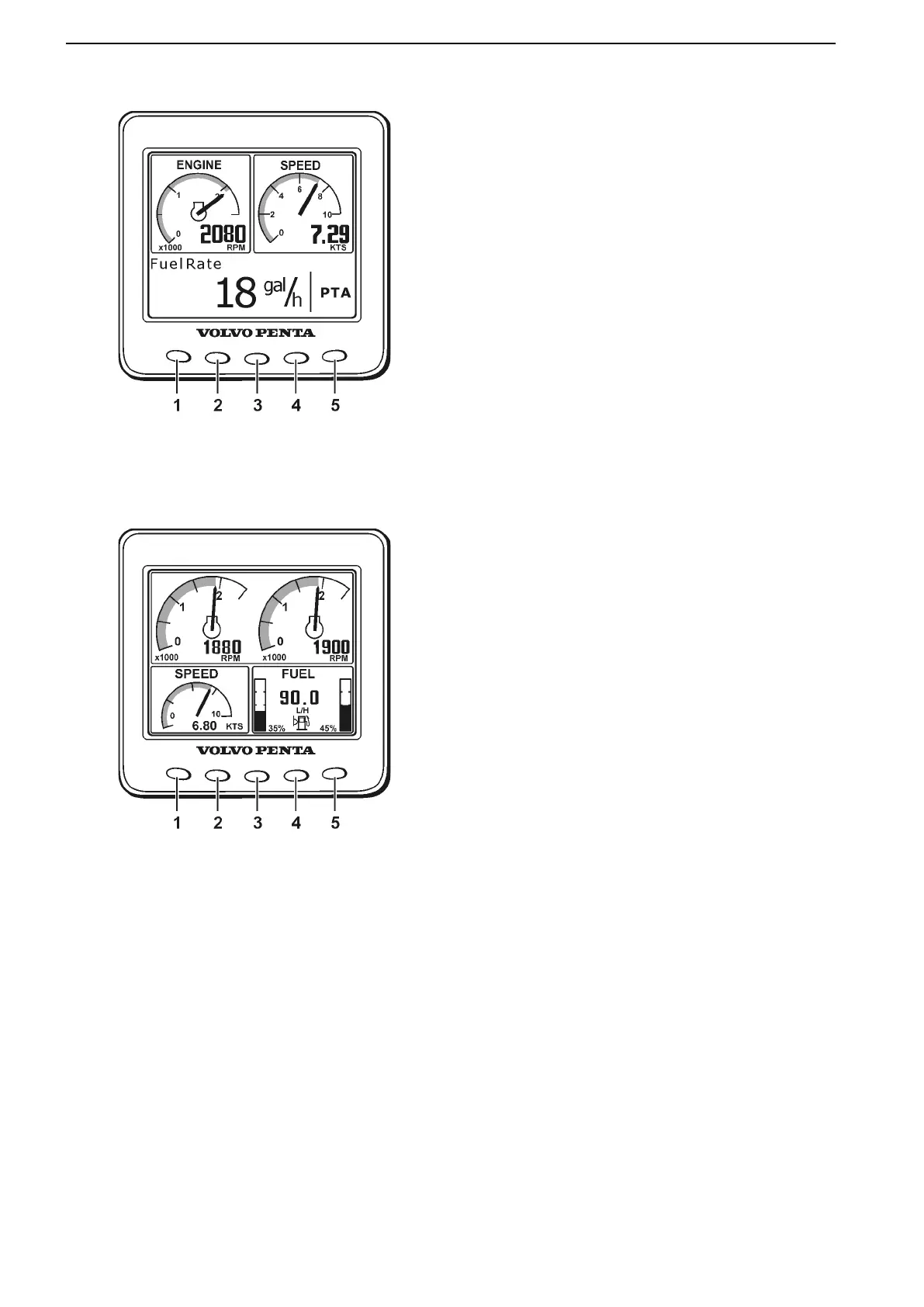
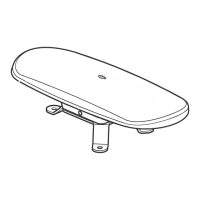
Engine Page (Button 1)
51275e
Enter the ENGINE page by pushing button 1. This
page shows windows with engine speed, boat speed,
and trip information. If information about boat speed is
not available, coolant temperature is shown instead. If
there is a tank sender installed, a fuel level gauge is
shown in the trip window.
To get the full Trip Menu, the following optional equip-
ment is required:
● Trip computer software.
● Fuel level sender (connected to EVC).
● Multisensor or NMEA 0183/NMEA 2000 compat-
ible component (plotter, GPS, paddle wheel,
etc.).
Alternate the displayed trip information by pressing
button 1 (“ENGINE”) repeatedly.
TRIP INFORMATION:
51275c
FUEL RATE – Instantaneous fuel consumption
(l/h, Gal/h).
FUEL ECONOMY – Fuel consumption over distance
(l/nm, l/km, l/mile, Gal/nm, Gal/km, Gal/mile).
TRIP FUEL – Fuel consumption, since last
reset (l, Gal). Please refer to Trip Menu.
FUEL REMAINING – Remaining amount of fuel in the
tank (l, Gal).
DIST. TO EMPTY – Remaining distance until the tank
is empty, based on current fuel consumption (nm, km,
miles).
TRIP FUEL ECONOMY – Displays fuel consumption
over distance (nm/l, km/l, mile/l, nm/gal, km/gal,
mile/ gal).
TRIP FUEL RATE – Displays average fuel consump-
tion since last reset (l/h, gal/h).
TIME TO EMPTY – Displays time to empty fuel tank
based on instantaneous fuel rate and remaining
fuel (h).
TRIP DISTANCE – Distance travelled, since last reset
(nm, km, miles). Please refer to Trip Menu.
Instruments and Controls
24 47701898 12-2010



 To Next Page