Settings
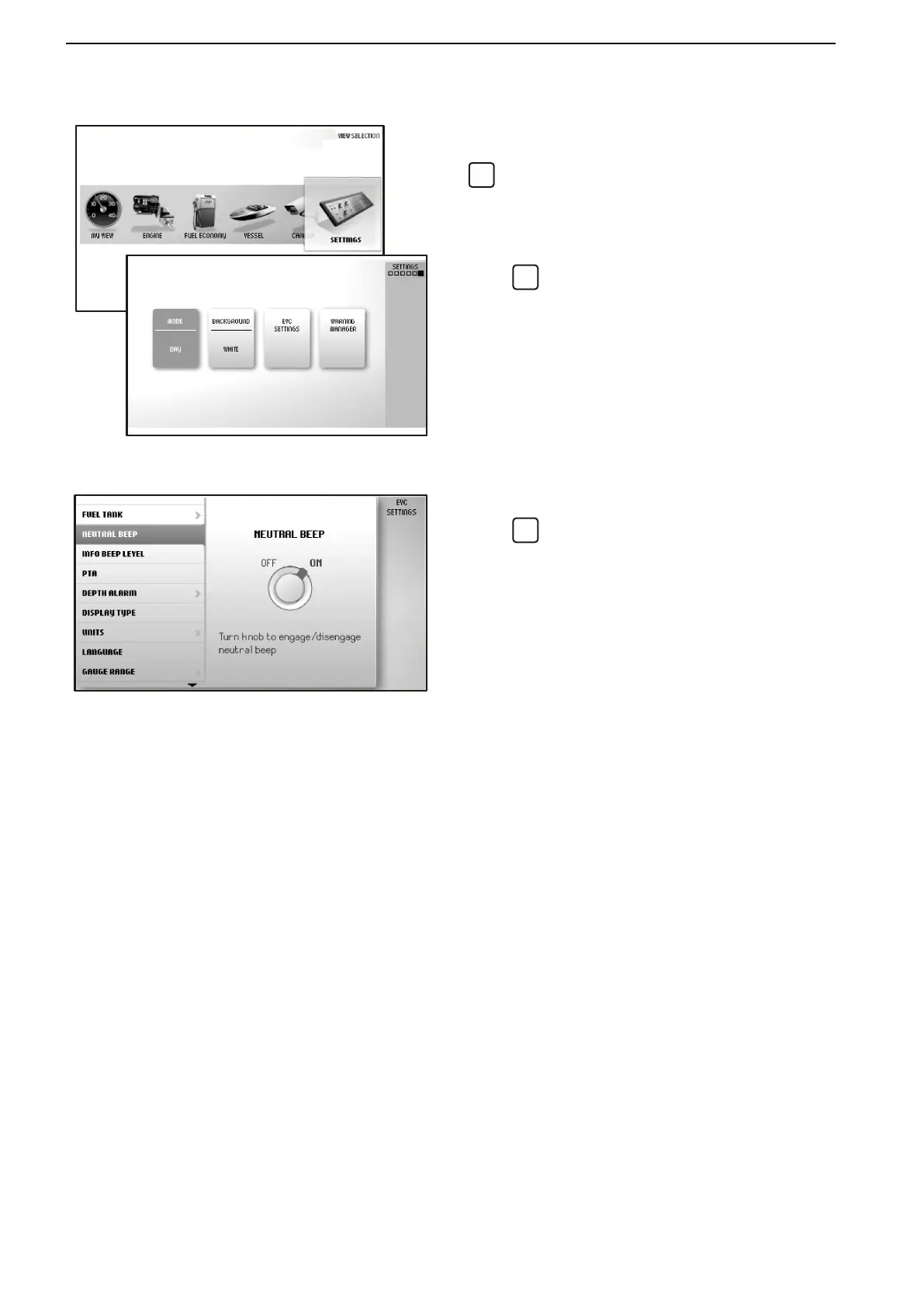
Screen settings and different function settings are
made in this view. Turn to the desired menu and press
to access the submenus.
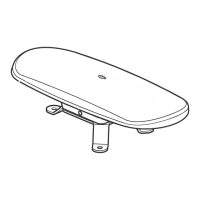
Mode
Choose between the modes Day (dark text on a white
background) or Night (light text on a dark background).
Press
to switch between modes.
Background
Choose between the background colors Gray, Aqua,
White, Carbon, and Red.
EVC Settings
Press
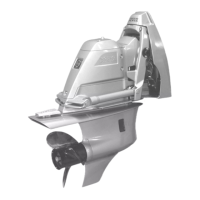
to access the settings menu.
Settings for screen, switching functions on and off,
audible alarm settings, alarm limits, language and
units. Information regarding boat installations is also
found here.
Toe Angle, dealer and/or original equipment manu-
facturer setting only.
Neutral Beep, switching on and off the beeper that
sounds when the control is in the neutral position.
Info Beep Level, setting the volume of the signal that
confirms when a function has been activated or deac-
tivated.
PTA, allows you to turn PTA mode on or off. For addi-
tional information, please see PTA (On/Off) later in this
chapter.
PTA Calibration, allows you to change PTA settings.
For additional information, please see PTA Calibra-
tion later in this chapter.
Trip Computer Reset, zeroes all values in the trip
computer.
Camera, allows you to switch between cameras if
more than one is installed.
Display Type, select the engines for which operating
data will be displayed and the type of installation the
engines is part of.
Units, setting of units (metric/U.S.) and distance (km.
Nm. or miles).
Language, selecting the screen language.
Instruments and Controls
32 47701898 12-2010



 To Next Page