EVC Menu
Navigation
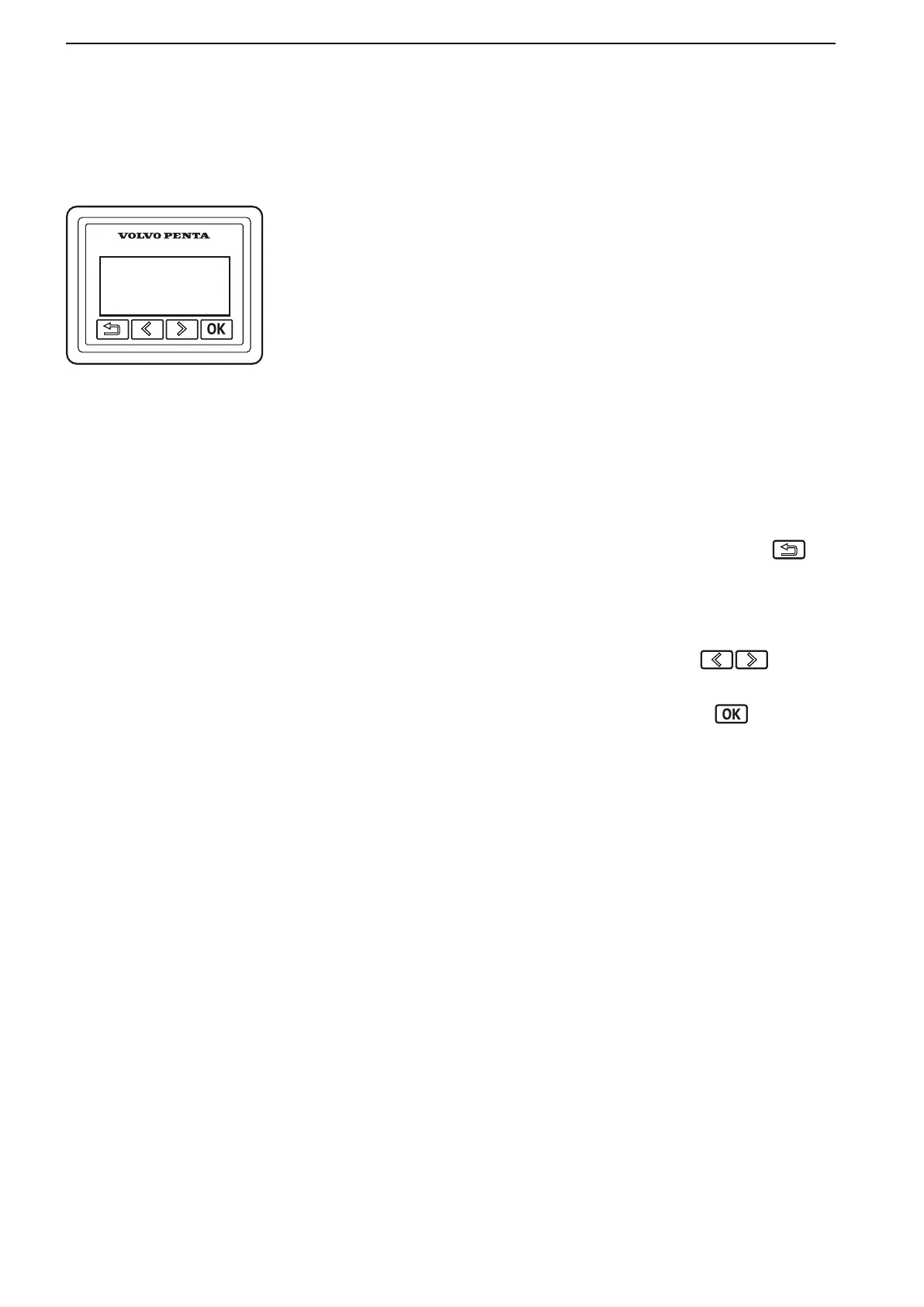
The Info Display Panel provides engine and opera-
tional information, messages, and alarms. There is one
information panel per driveline and helm station if no
7" screen is installed.
The information shown can be set up according to per-
sonal preferences. Basic information provided
includes, but is not limited to:
•
Engine speed
•
Oil pressure
•
Coolant temp
•
Battery voltage
Navigation of the menu system in the Info Display
Panel is accomplished using the following buttons:
Return to the previous menu by pressing the
but-
ton. Hold the button down for more than 3 seconds to
reach the main menu or browse back to it by pressing
the button repeatedly.
Browse backwards and forwards through the informa-
tion panel menus by pressing the buttons.
Hold down a button to scroll through a menu.
Confirm a selection by pressing the
button.
Optional Functions
Some optional functions (items in the EVC menus
described below) may appear in the display but may
not be installed or they may appear grayed-out or they
may not appear at all. Optional functions that are com-
patible with your engine and drive package may be
purchased and activated at any authorized Volvo
Penta dealer.
Instruments and Controls
34 47701898 12-2010



 To Next Page