Depth Alarm (Optional)
51449a
51297
If your boat is equipped with a Volvo Penta depth
sounder (multisensor), you may perform the following
settings. These settings need to be performed only on
one display (twin installation) at one station for the
settings to apply to all displays in the boat.
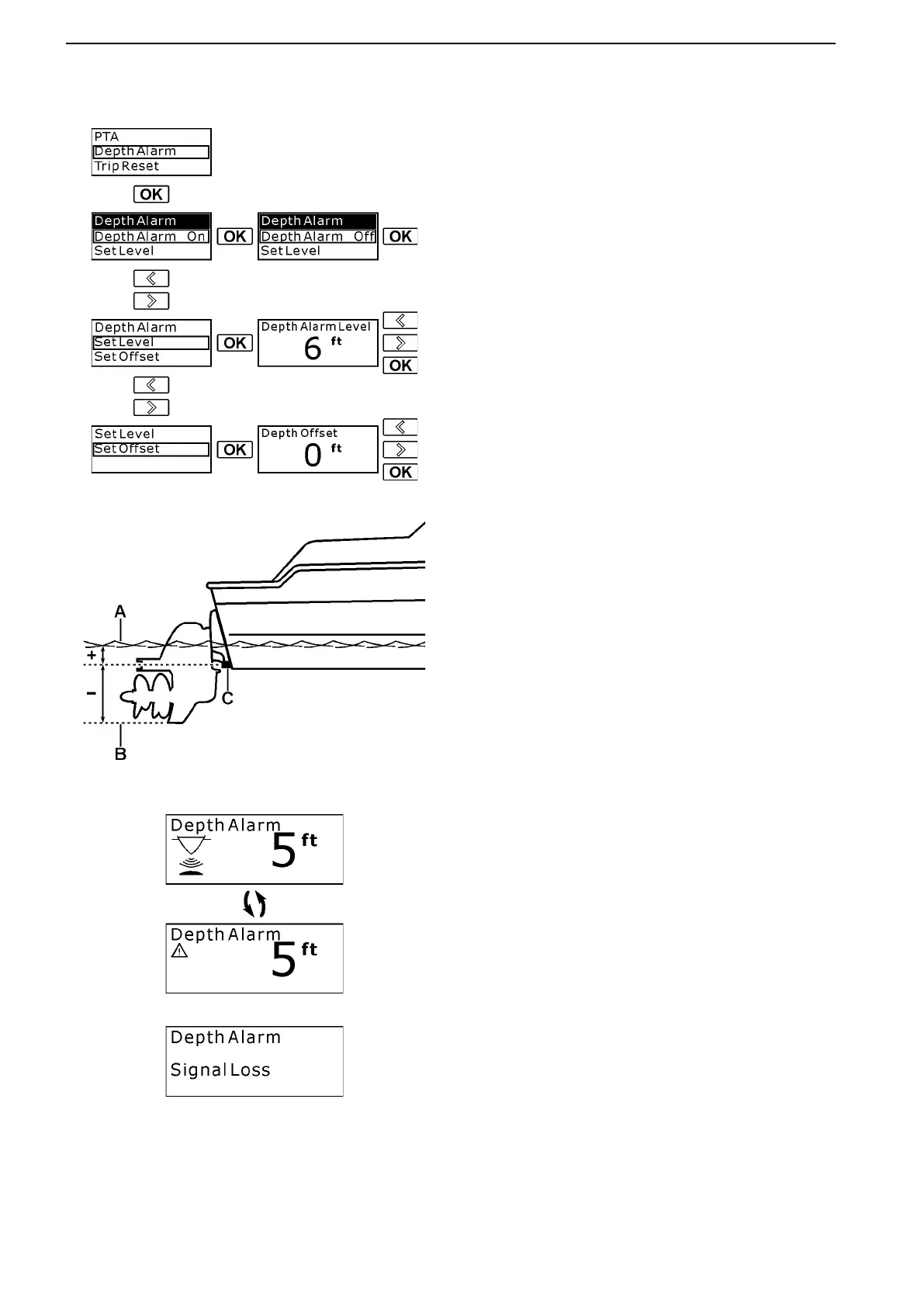
In the Settings menu, navigate to the Depth Alarm
selection and enter by pushing the OK button.
Depth Alarm (On/Off) – The depth alarm function
may be turned on and off.
Set Level – Adjust the depth at which you want the
depth alarm to sound. Adjust the depth (in increments
of ± 0.1 m or ± 1 ft) by using the arrow buttons and
press OK when done.
Set Offset – Adjust the depth offset so it corresponds
to the lowest point or the water line of the boat
(depending on what depth you want to monitor). The
depth sounder may be placed anywhere between
these points. The depth alarm is dependent on the
depth offset.
A. Water line
B. Lowest point
C. Depth sounder
Adjust the depth offset (in increments of ± 0.1 m or
± 1 ft) by using the arrow buttons and press OK when
done.
51461
Depth Alarm Pop-up – The depth alarm pop-up will
appear when the depth is less than the depth alarm
set point. The pop-up shows the actual depth. The
depth alarm pop-up is also accompanied by a buzzer.
Acknowledge the depth alarm by pushing the OK but-
ton (repeatedly if necessary).
The depth alarm pop-up will remain on screen until the
depth increases and exceeds the depth alarm set
point.
51461a
Depth Alarm Signal Loss – If the depth alarm is on
and the depth signal is lost, for instance in the case of
a sensor malfunction, the “depth alarm signal loss”
pop-up will appear.
Instruments and Controls
38 47701898 12-2010



 To Next Page