PTA Calibration
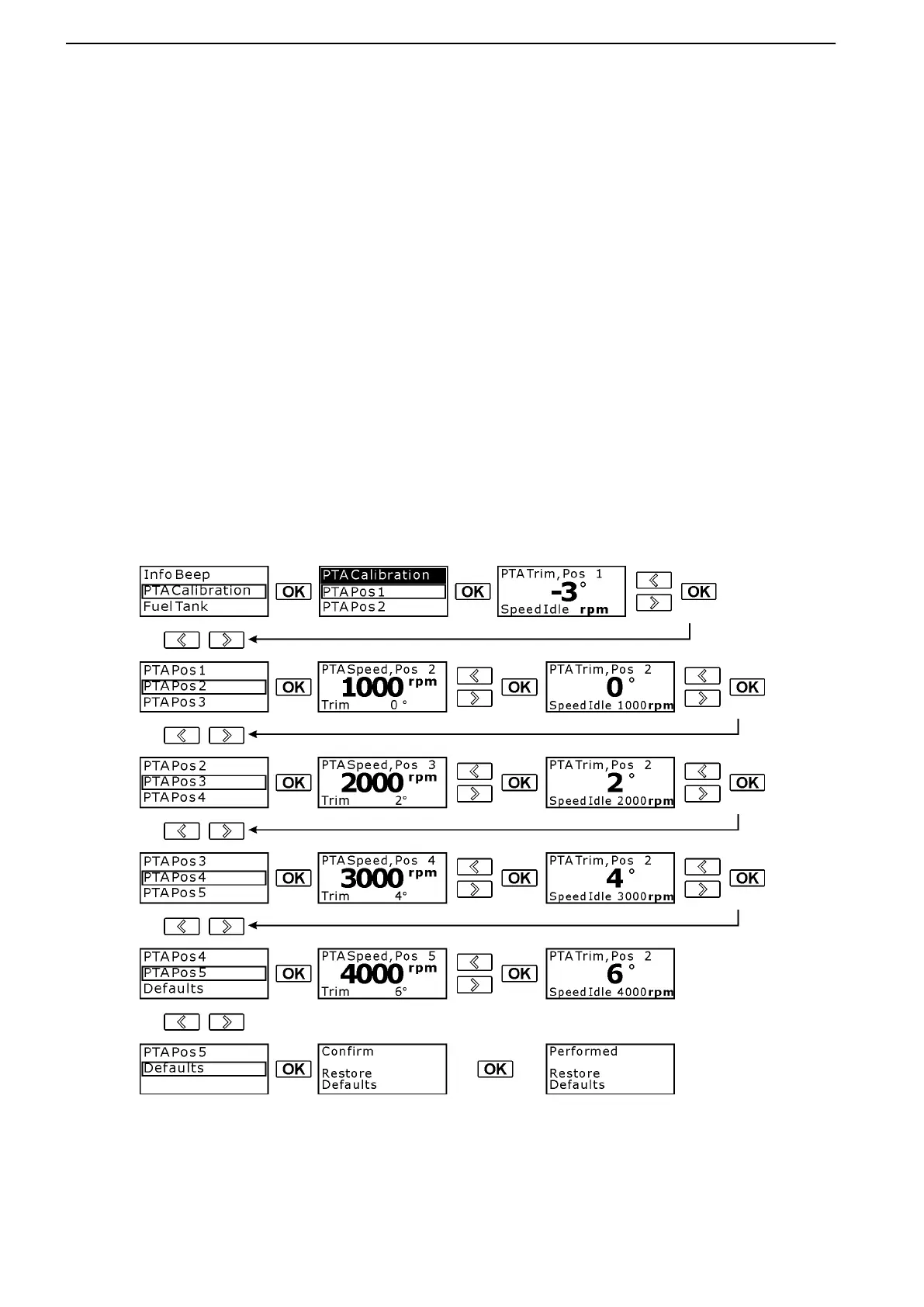
The PTA (power trim assistant) adjusts trim angle automatically according to engine speed (RPM). It is possible
to set five trim angles at five different engine speeds (including idle speed).
For twin installations, the PTA CALIBRATION can be performed on either display (engine side).
1. In the Settings menu, scroll to select PTA Cali-
bration.
5. Scroll to highlight PTA Pos 2, then press OK.
2. Press the OK button to enter PTA Calibration set-
tings.
6. Set the desired engine speed (RPM) for the sec-
ond trim position by using the scroll buttons, then
press OK to confirm.
3. Press the OK button to enter PTA Pos 1. The first
position is the trim angle of the drive at idle.
7. Now adjust the drive angle for the second posi-
tion. Press OK to confirm.
4. Adjust the setting to the desired angle by using
the scroll buttons, then press OK to confirm.
Once confirmed, you will be returned to the PTA
Calibration menu.
8. Repeat Steps 5–7 for the remaining PTA posi-
tions.
You may revert to the default EVC settings for PTA Calibration by using the Restore Defaults option within the
PTA Calibration menu. For additional information about trimming the drive(s), please see Power Trim.
These settings are for illustrative purposes only; they are not recommended settings for an actual sys-
tem! Proper settings are boat specific. Check with your dealer for correct settings.
51457a
Instruments and Controls
42 47701898 12-2010



 To Next Page