Menus
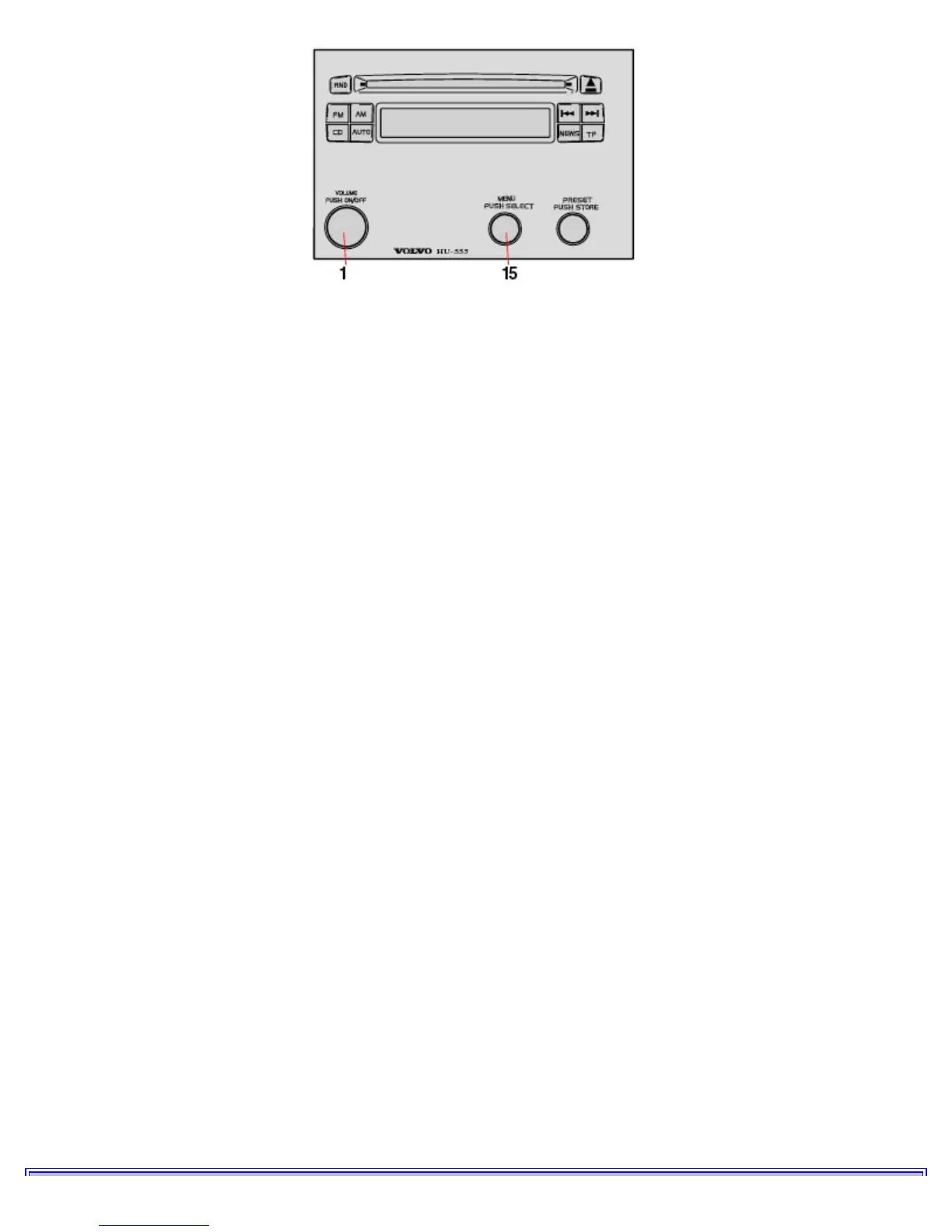
All audio and radio system parameters are set with the MENU knob (15).
Turn: Scrolls through the alternatives on one menu level.
Press: Activates the selected alternative and takes you to the next higher menu level.
There are four different menu levels. The first, level 1, contains:
1. AUDIO function menu
This menu selection enables you to adjust Bass/Mid/Treble/Balance/Fader settings (menu Level 2).
See the following page for more details.
2. OTHER Settings menu
This menu selection enables you to make adjustments for radio reception.
See the following page for more details.
3. EXIT
Return to the normal Radio/CD modes.
Exiting the menus
You can exit a menu to return to normal audio system functions in the followings ways:
In AUDIO mode:
1. Wait for 8 seconds and the menu mode
will terminate itself.
2. Turn knob (15) until EXIT is displayed and
press the knob.
3. Press VOLUME (1) to switch the radio off
and then switch it on again.
In OTHER Settings mode:
1. Turn knob (15) until EXIT is displayed and
press the knob. It may be necessary to repeat this several times, depending on your current level in the menu structure.
2. Press VOLUME (1) to switch the radio off
and then switch it on again.



 To Next Page