03 Your driving environment
Lighting
03
``
89
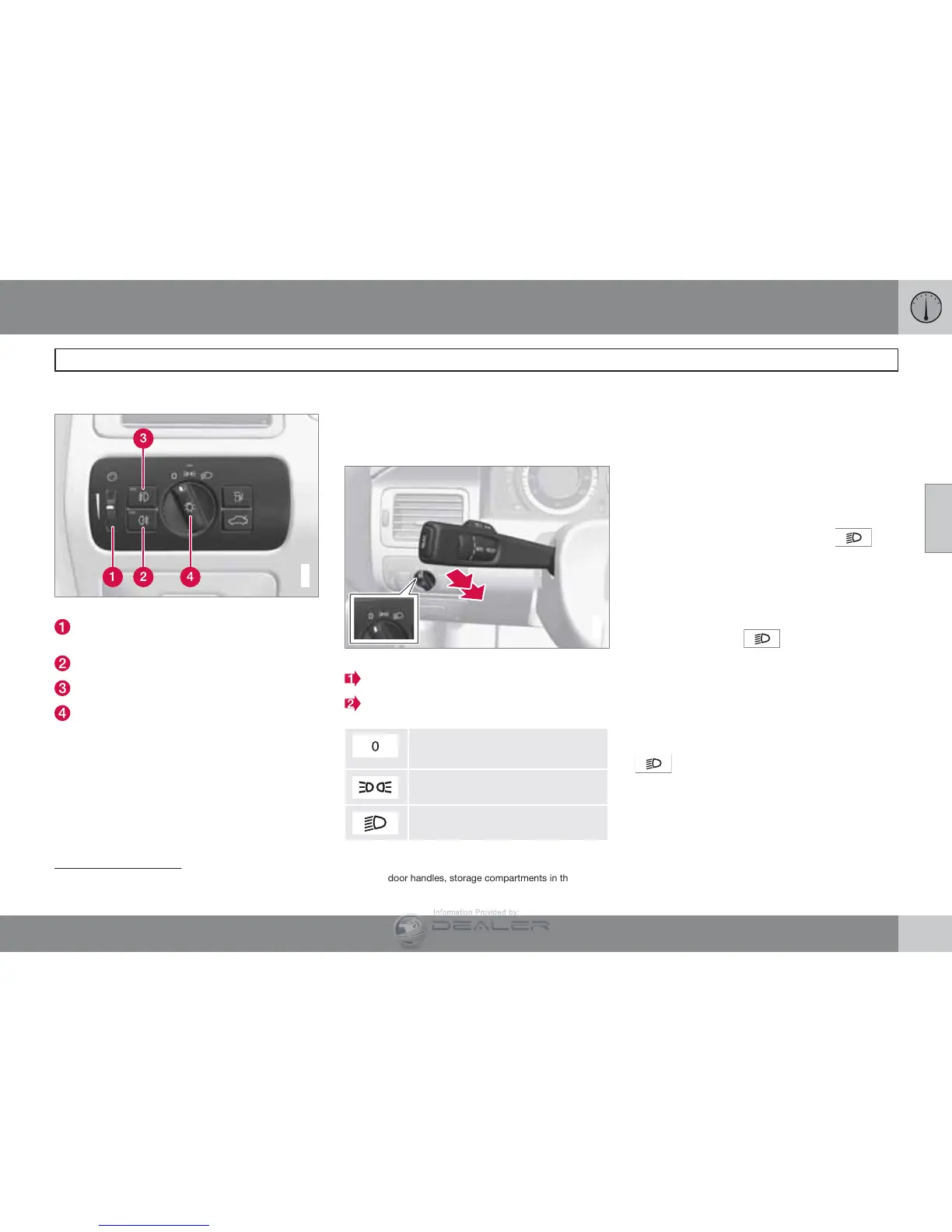
Lighting panel
G022854
Overview, light switches
Thumb wheel
1
for adjusting display and
instrument lighting
Rear fog light
Front fog lights
Headlights/parking lights
Instrument lighting
Illumination of the display and instrument lights
will vary, depending on ignition mode.
The display lighting is automatically subdued
in darkness and the sensitivity is set with the
thumb wheel.
The intensity of the instrument lighting is
adjusted with the thumb wheel.
High/low beam headlights
2
1
G022855
Headlight switch and lever
High beam flash
Toggle between high and low beams
Daytime running lights/no high
beams
Parking lights
Low beams
High beam flash
Move the lever toward the steering wheel to
position 1. The high beams come on until the
lever is released.
High/low beam headlights
Continuous high beams
1.
Set the ignition to mode II.
2.
With the light switch in position
, pull
the turn signal lever toward the steering
wheel to position 2 to toggle between high
and low beams (this also applies on mod-
els equipped with the optional Active
Bending Lights).
>
The symbol
illuminates in the
instrument panel to indicate that the
high beams are on.
Low beams
When the engine is started, the low beams are
activated automatically (daytime running lights)
if the headlight control is in position 0 or
.
Daytime running lights can be deactivated by
a trained and qualified Volvo service techni-
cian.
1
On the S80 Executive, the thumb wheel also adjusts the lighting level in the door handles, storage compartments in the doors, the analogue clock, the cup holders between the front seats and the
front footwell lighting.



 To Next Page