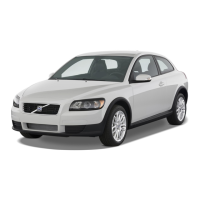
This document is a Quick Guide for the Volvo C30, providing an overview of its features and functions. It emphasizes that more detailed information, including warning texts and other important details, can be found in the comprehensive Owner's Manual. Options are indicated with an asterisk (*).
Key & Remote Control
The remote control unit for the Volvo C30 features several buttons for various functions:
- Lock Doors and Boot Lid, Arm Alarm*: Locks all doors and the boot lid, and arms the car's alarm system.
- Unlock Doors and Tailgate¹, Disarm Alarm: Unlocks all doors and the tailgate, and disarms the alarm. Automatic relocking occurs if a door or boot lid is not opened within 2 minutes after unlocking.
- Unlock Tailgate: Unlocks only the tailgate (the tailgate itself does not open automatically).
- Switch on Lighting: Activates lighting for 30 seconds² in the side mirrors*, cabin, footwells, and on the number plate. Indicators and parking lamps also illuminate. The duration is adjustable to 30, 60, or 90 seconds.
- "Panic" Button: Press and hold for approximately 3 seconds in an emergency to trigger the alarm. The alarm can be switched off using the unlock button.
The Key Blade is used for manual locking/unlocking of the glovebox or the driver's door lock, particularly if the car's electrical power is unavailable.
Cold Start
During a cold start, the idling speed may briefly be slightly higher. This is a normal function designed to achieve efficient emission control.
Autostart (Applies to 2.4i, T5 and D5)
To start the engine, turn the ignition key/dial to position III and then release it; the engine will start automatically. For diesel engines, it is essential to preheat the engine in position II before starting.
Direction Indicators
The direction indicators offer two modes:
- Short Sequence (A): Three flashes for quick lane changes.
- Continuous Flash Sequence (B): For standard turning signals.
Adjusting the Steering Wheel
The steering wheel can be adjusted to the driver's preferred position. WARNING: Always adjust the steering wheel before setting off and never while driving to ensure safety.
Light Switches
The light switch panel provides control over various lighting functions:
- Headlamp Levelling: Automatic for Bi-Xenon lights*.
- Automatic Dipped Beam: Activates the dipped beam. Main beam flash is available, but the main beam cannot be activated in this mode.
- Parking Lamps: Activates parking lamps.
- Dipped Beam: Activates the dipped beam. It switches off when the ignition is turned off. The main beam can be activated in this mode.
- Display and Instrument Lighting: Adjusts the brightness of the display and instrument panel.
- Front Fog Lamps*: Activates the front fog lamps.
- Rear Fog Lamp: Activates the rear fog lamp (only one rear lamp illuminates).
- Main Beam Flash (A): Momentarily flashes the main beam.
- Main/Dipped Beam Switching (B): Toggles between main and dipped beams. Also controls approach lighting.
Control Panel in Driver's Door
The driver's door control panel manages mirrors and windows:
- Adjusting the Door Mirrors (L R): Select L (left) or R (right) and then use the lever to adjust the mirror position.
- Retracting the Door Mirrors*: Press L and R simultaneously to retract the mirrors. Press them again to extend.
- Manual Windows (1): For manual operation of windows.
- Automatic Windows (2): For automatic operation of windows.
Windscreen Wipers and Rain Sensor*
The windscreen wiper controls include:
- Single Sweep (C): A single wipe of the windscreen.
- Off (D): Wipers are turned off.
- Intermittent Wiping (D): Turn (2) to adjust the interval sensitivity.
- Normal Speed (E): Wipers operate at normal speed.
- High Speed (F): Wipers operate at high speed.
- Windscreen and Headlamp Washing (G): Activates windscreen and headlamp washers.
- Rear Window Washer (H): Activates the rear window washer.
- Rear Window Wiper Intermittent/Normal (3): Controls the rear window wiper for intermittent or continuous operation.
The Rain Sensor* features:
- Activate Rain Sensor (1): Position D-F deactivates the rain sensor.
- Adjust Sensitivity (2): Use the thumbwheel to adjust the rain sensor's sensitivity.
- Display Symbol: Indicates when the rain sensor is active.
Audio System
The audio system offers radio and CD player functionalities:
- On/Off and Audio Volume (1): Press to turn the system On/Off. Turn to adjust the audio volume for radio, TP, handsfree*, and RTI* individually.
- FM1, FM2 or AM Radio (2): Selects between FM1, FM2, or AM radio bands.
- MODE. CD or AUX¹ (4)*: Switches between CD player and AUX¹* input (for e.g., MP3 player).
- Sound Pattern (5): Press to select sound settings like BASS and Dolby Pro Logic II*. Turn to adjust.
- MENU. AUX Volume and Advanced Audio Settings (8)*: Accesses AUX* volume control and other advanced audio settings.
Radio Functions:
- Select Radio Station (5): Turn to select radio stations.
- Search for Station (9): Use Left/Right arrow or SCAN (7) to search. Up to 20 stations can be stored by holding 0-9 on FM1 and 0-9 on FM2. A confirmation appears on the display when a station is stored.
- Autostoring Stations (10): Press AUTO for approximately 2 seconds to automatically store the ten strongest stations. Then press 0-9 to select a stored station.
CD Player Functions:
- Change CD Track (9): Use Left/Right arrow or turn (5) to change tracks.
- Select CD Disc² (9): Use Up/Down arrow to select a specific CD disc (only with CD changer*).
- Ejecting a CD Disc (3): A short press ejects the current disc. A long press ejects all discs (only with CD changer*).
- Direct Selection CD Disc² (6): Press 1-6 to directly select a CD disc (only with CD changer*).
Refuelling
The fuel gauge (2) indicates the fuel level, with an arrow pointing to the side where the fuel cap is located. A Low Fuel Level (1) warning indicates approximately 8 litres of petrol (7 litres for diesel) remain.
Diesel Particle Filter
Diesel cars are equipped with a particle filter for efficient emission control. Particles from exhaust gases are collected in the filter during normal driving. A process called "regeneration" automatically starts to burn away these particles and empty the filter. During regeneration, engine power may be slightly reduced.
Car Care
Hand washing is recommended for the first few months with a new car as it is gentler on the paintwork, which is more sensitive when new. Paint treatments such as preservation, sealing, and lustre sealing may damage the paintwork, and such damage is not covered by the Volvo warranty.
Electronic Climate Control, ECC*
The ECC system provides automatic and manual climate control:
Automatic Control:
- In AUTO mode, the ECC system automatically controls all functions for optimal air quality.
- Automatic (1): Press AUTO for automatic control of set temperature and other functions.
- Temperature (2): Press for individual adjustment of the left (L) or right-hand (R) side. Turn to set the desired temperature, which is shown in the display.
Manual Control:
- Fan Speed: Adjusts the fan speed.
- Air Distribution: Controls the direction of airflow.
- Defroster: Quickly removes misting from the windscreen and side windows.
- Air Quality System On (A) / Recirculation On (M)*: Controls the air quality system and recirculation.
- AC Air Conditioning On/Off: Toggles the air conditioning system.
- Rear Window and Door Mirror Defrosters (555): Activates defrosters for the rear window (12 minutes) and door mirrors (6 minutes). These deactivate automatically.
PACOS*, Deactivating the Airbag
The Passenger Airbag Cut Off Switch (PACOS) uses the ignition key to switch the passenger airbag ON/OFF.
- ON: The airbag is activated. Passengers taller than 140 cm can sit in the front seat, but never a child on a booster cushion or child seat.
- OFF: The airbag is deactivated. "PASSENGER AIRBAG OFF" is shown in the warning lamp above the interior rearview mirror. A child can sit on a booster cushion or child seat in the front seat, but never passengers taller than 140 cm.
- WARNING: Incorrect use can endanger life. Consult the Owner's Manual if there is any uncertainty regarding usage.
Trip Computer and Trip Meters
The instrument cluster displays various information:
- Low Fuel Level (1): Indicates 8 litres of petrol (7 litres diesel) remain.
- Fuel Gauge (2): Shows the current fuel level.
- Trip Meters (4): Displays two independent trip meters, T1 & T2.
- Switch Between T1 & T2 (3): A short press switches between T1 and T2. A long press resets the current meter.
- Clock (5): Turn to stop and hold to set the clock (6).
Trip Computer Functions:
- Clear Message (8): Press to clear a message from the display.
- Show Information (9): Turn to display information such as "KILOMETRES TO EMPTY TANK" (7).
- Reset Current Function (10): A long press resets all functions.
- IMPORTANT: "KILOMETRES TO EMPTY TANK" is an estimate based on earlier driving conditions.
Indicator and Warning Lamps
The instrument panel includes various indicator and warning lamps:
- Read in Information Display: Prompts the driver to read a message in the information display.
- Stop Safely. Rectify in Accordance with the Information Display: Indicates a critical issue requiring immediate attention.
- Low Oil Pressure. Stop Safely. Check the Oil Level²: Warns of low engine oil pressure.
- ABS Fault. Stop Safely. Restart the Engine¹: Indicates a fault in the Anti-lock Braking System.
- Fault in Brake System. Stop Safely. Check the Brake Fluid²: Warns of a fault in the brake system.
- DSTC Stability System*: Flashes when the Dynamic Stability and Traction Control system is operating.
- Note: If a symbol illuminates after restart, contact a Volvo workshop. If a symbol remains visible, the car should be towed.
Cargo Cover*
The cargo cover provides privacy and security for items in the boot:
- Fasten Hooks (A): Secure the hooks at the floor.
- Affix Brackets (B): Press together the spring-loaded rail and affix the brackets on both sides.
- Affix Brackets (C): Secure these brackets in the same way.
- Fasten Hooks (D): Secure these hooks.
- Undo Attachment Points (D) and (C): If necessary, undo these points on both sides during loading.
- Roll Up: Undo (D), (C), (B), and (A) and roll up the cargo cover when not in use.
Holder for Floor Hatch
The floor hatch can be opened to access additional storage space, with or without the cargo cover.
Lowering the Backrest
The backrests can be lowered to increase cargo space.
Hard Cargo Cover*
The hard cargo cover offers a more robust solution for the boot:
- Installation: Pull all four lock buttons backwards to their end positions. Carefully lift the cargo cover, positioning the front section on the two supports behind (A) on both sides. Align one rear lock at (B) and press the lock button forwards. Lock the three remaining ones in the same way.
- Removal: First pull the lock buttons at (A), then at (B), backwards to their end positions. Take out the cargo cover.
Adjusting the Front Seat
The front seat offers multiple adjustments for comfort:
- Lumber Support (1): Adjusts the lumbar support.
- Backrest Rake (2): Adjusts the angle of the backrest.
- Raise/Lower Seat (3): Adjusts the seat height.
- Seat Cushion Front Edge Raise/Lower (4): Adjusts the height of the front edge of the seat cushion.
- Forwards/Backwards (5): Moves the seat forwards or backwards.
Easy Entry & Seatbelt Guide (6):
- Manual Seat:
- A. Remove the seatbelt from the belt guide.
- B. Pull the handle and move the seat forwards.
- To move the seat backwards, pull the handle and fold back the backrest.
- Power Seat*:
- A. Remove the seatbelt from the belt guide.
- B. Pull the handle and fold up the backrest.
- C. Hold the button in while the seat travels forwards.
- Hold the button in again so that the seat moves back.
Storage Spaces, 12 V Socket & AUX*
- 12 V Socket Front/Rear: Works in ignition position I or II, providing power for accessories.
- AUX Output*: The car's audio system can play music from an MP3 player or other external devices connected via the AUX* input.

 Need help?
 General

 To Next Page