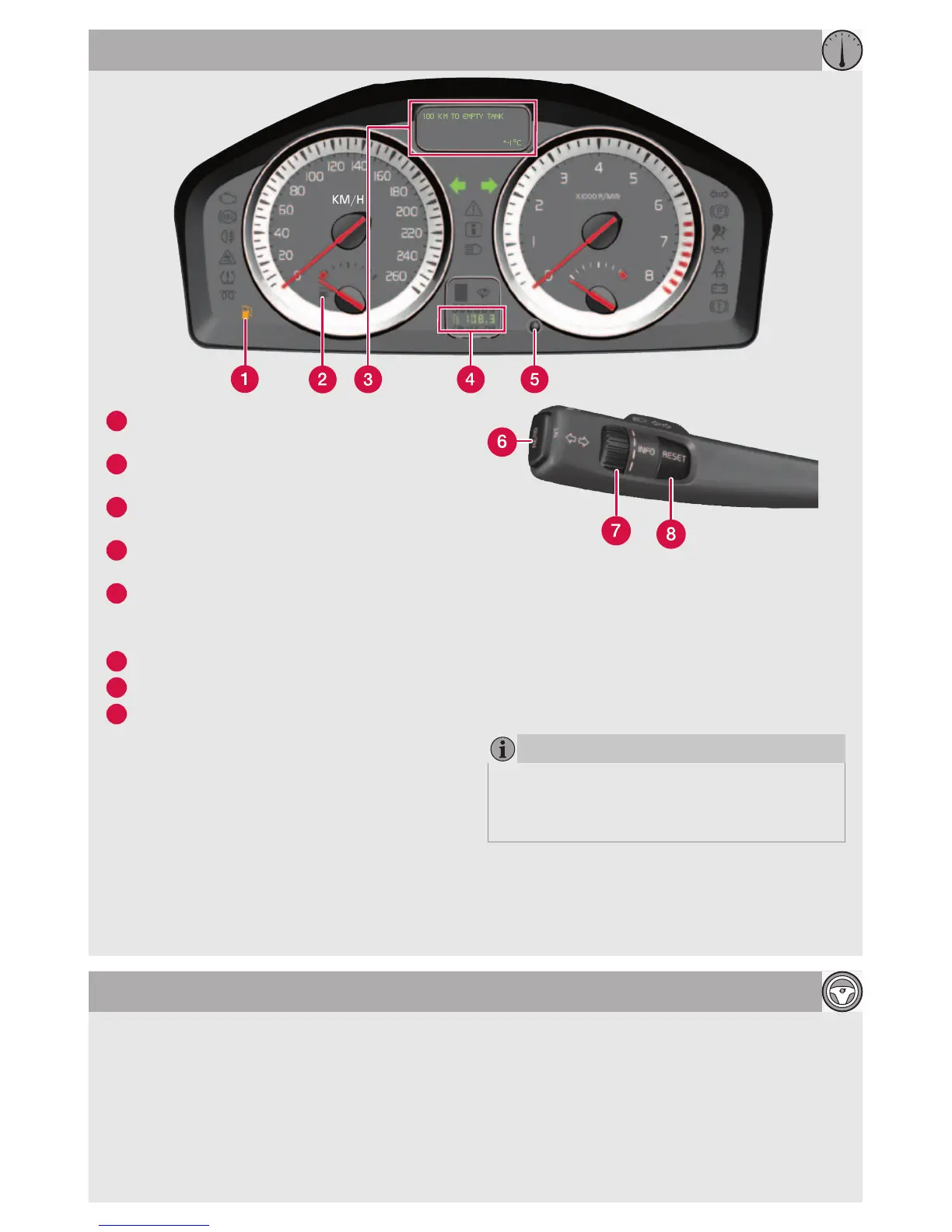
TRIP COMPUTER* AND TRIP METERS
If the BLIS indicator lamp illuminates despite
there being no vehicle within the blind spot, the
cause could be for example, reflection from
shiny wet road surface, own shadow on light
road surface or low sun in the camera.
In the event of a direct fault in the system
the display shows the text BLIS SERVICE
REQUIRED.
BLIS – BLIND SPOT INFORMATION SYSTEM*
1
Low fuel level. When the symbol is illumi-
nated, fill up with fuel as soon as possible.
2
Fuel gauge. The symbol's arrow points out
the side on which the fuel cap is located.
3
Display for trip computer, messages, clock
and outside temperature.
4
T1 & T2 – independent trip meters, which
are always active.
5
One short press switches between T1 &
T2.
One long press resets the current meter.
6
Press to show/clear message.
7
Turn to see the trip computer's options.
8
One short press resets the trip computer's
current function.
One long press resets all trip computer
functions.
Clock, adjustment
1. On the centre console, press MENU.
2. Select Clock adjust.
3. Press ENTER.
4. Select the number with "arrow right" or
"arrow left".
5. Adjust the clock with the numbers on the
keypad or "arrow up" or "arrow down" on the
navigation button.
6. Press ENTER to finish.
NOTE
Display text --- KILOMETRES TO EMPTY
TANK is an estimate of possible distance
based on earlier driving conditions.






 To Next Page