Volvo Trucks North America, Inc. Date Group No. Page
Service Bulletin 4.2004 392 08 16(47)
Radio
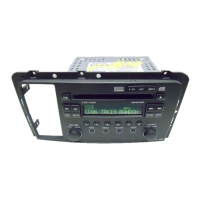
Power: The radio can be turned on when the ignition is
ON or OFF by pushing the PWR knob (1). If the ignition
is OFF the radio will play for one hour and automatically
turn off (sleep feature).
IGN OFF – Radio ON/OFF: The radio can be programmed
to switch on and off independent of the ignition.
1 Turn the ignition ON and the radio off.
2 Press and hold push-buttons 1 and 3 (2) at the same
time until it beeps. The radio display will show IGN
OFF=RADIO OFF or IGN OFF=RADIO ON.
3 Repeat this procedure to implement the opposite
condition.
If the display reads IGN OFF=RADIO OFF, the radio
will turn off when the ignition turns OFF. If the display
reads IGN OFF=RADIO ON, the radio will play, when the
ignition is turned OFF, until the radio is turned off or the
battery runs down.
Note: The automatic turn off after 1 hour is only valid
when the radio is turned on while the ignition is OFF.
Default Display:
1 Press DISPL (3) to view either radio frequency or the
time. Pressing DISPL more than one time allows to
toggle between the two displays.
2 Press DISPL again, hold it until it beeps, to set the
display.
To Find a Station:
Band: Press the BAND (4) button to switch between
AM, FM1 and FM2. The radio display shows the
selection.
TUNE: Press the TUNE/SEEK button (5) once to tune
to the next higher or lower station one frequency at a
time. Press and hold TUNE/SEEK until it beep to seek
the next station. When a station with a strong enough
signal is found, the seek function will stop and the
station will play. Press TUNE/SEEK to stop seeking.
Presetting Stations: 6 stations per band can be
preset.
1 Turn the radio on.
2 Select the band.
3 Tune in the desired station.
4 Press and hold one of the 6 push-buttons (6) until
it beeps. Whenever the button is pressed now, the
station set will be played.
5 Repeat steps 1 – 4 for each push-button.
AS: Press AS (7) (Auto Store) to automatically store
the 6 strongest stations onto the preset push-buttons.
AS only presets the default band.
SCAN: Press SCAN (8) to scan all station on the
default band. When a frequency of sufficient strength
is found, the radio will play for 5 seconds and then
continue scanning for next station. To stop the
scanning press SCAN again.
P.SCAN: Press P.SCAN (9) to scan the presets on
the default band. To stop the scanning press P.SCAN
again.



 To Next Page