Volvo Trucks North America, Inc. Date Group No. Page
Service Bulletin 4.2004 392 08 18(47)
W3003404
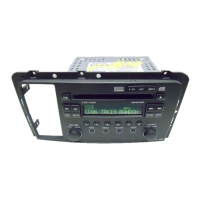
Cassette Tape Player
To Play a Cassette Tape:
1 Turn the radio on.
2 Insert a cassette into the cassette slot. The cassette
icon (1) will appear on the display and the tape will
begin to play.
3 If the radio or a CD is playing, press the tape button
(2) to play the cassette. If no tape is loaded into the
player, the display will show NO TAPE. If a tape is in
the player, SIDE 1 or SIDE 2 will be displayed.
4 The six numbered push-buttons (3) helps to operate
the tape player conveniently.
•
Press
1
to go to the beginning of the selection
being played. If this button is pressed during
the first 8 seconds of the selection, the previous
selection will be played.
•
Press
2
to reverse the direction of the tape and
play the existing track in that position.
•
Press
3
to go to the next selection.
•
Press
4
to rewind.
•
Press
5
to turn the Dolby background noise
reduction on or off.
•
Press
6
to fast forward.
5 Use the VOL knob (4) and AUDIO button (5) to adjust
the sound.
EJECT: Press the eject button (6) to eject a tape from
the tape player.
DISPL: Press the DISPL button (7) to view the time, SIDE
1 or SIDE 2. Pressing DISPL more than one time allows
to toggle between the displays. Press DISPL and hold it
until it beeps, to set the default display.
TAPE: Press the tape button (2) and hold for 2 seconds
any time the radio is on, to enable or disable “Radio
Monitor”. This feature allows you listen to the radio while
a tape is rewinding or fast forwarding. The display will
read RADIO ON or RADIO OFF.
If the radio detects a bad cassette, BAD TAPE will appear
on the display, and the tape will be ejected. The tape may
be damaged or too tight. If it is damaged, try a new tape.
If the tape is too tight, the player can not turn the tape
hubs. Remove the tape and hold it with the open end
down. Try to turn the right hub counterclockwise with a
pencil. Turn the tape over and repeat. If the hubs do not
turn easily, the tape may be damaged and should not be
used in the player.
Note: When using a CD adapter or a cleaning cassette,
the bad tape detector must be turned off.
Bad Tape Detector, ON/OFF:
1 Turn the ignition ON and the radio off.
2 Press and hold the tape button (2) for 5 seconds. The
display will read BAD TAPE DETECT OFF; a beep
confirms that the bad tape detector is off until the next
ignition cycle.



 To Next Page