-D
i
s
p
l
a
y
l
i
g
h
t
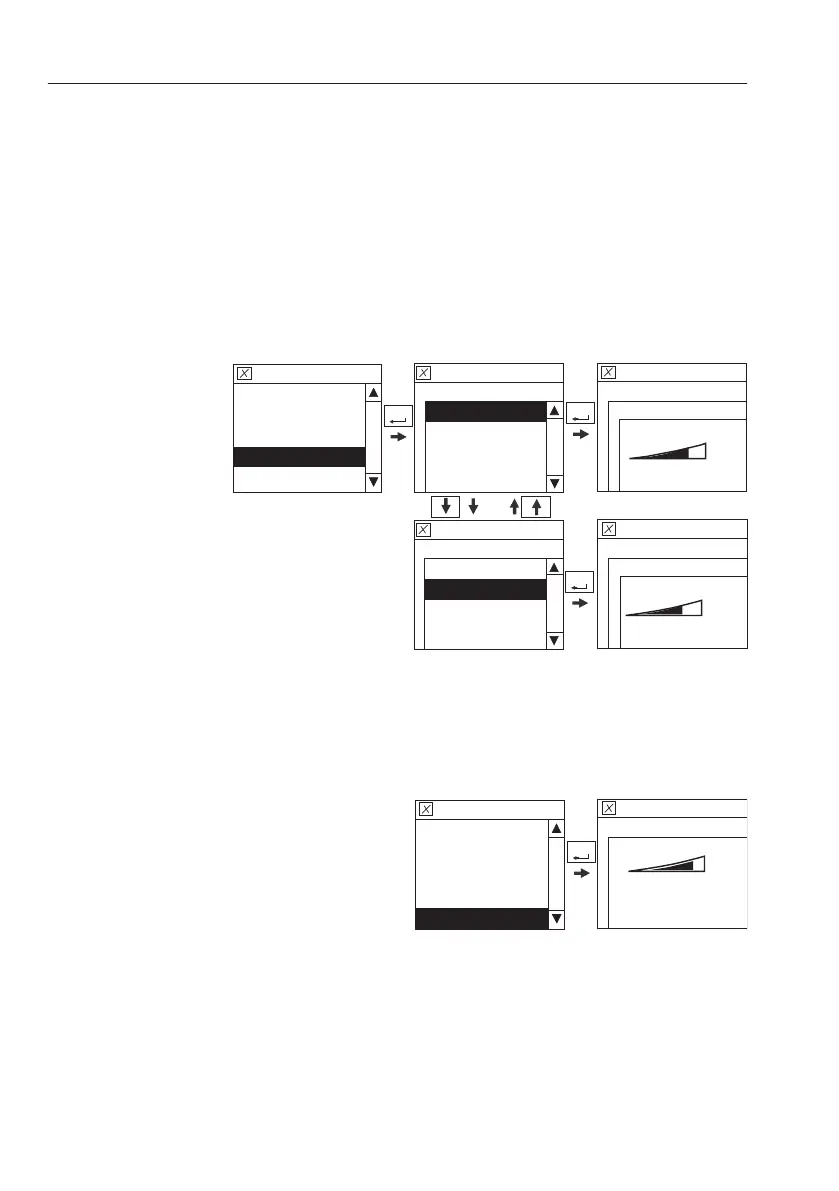
This is to change the contrast of the I-ECU. The
adjusting bar in the screen is controlled by
arrow buttons and the value is set by SELECT
button.
The contrast is adjustable for day and night
independently.
C
o
n
t
r
a
s
t
(
D
a
y
)
C
o
n
t
r
a
s
t
(
N
i
g
h
t
)
N
O
T
E
!
When adjusting the "Contrast(Night)", the working
light of the machine should be turned on.
V1091659
Setup
Display light
Contrast(Day)
Contrast(Day)
Display light
Setup
Contrast(Night)
SELECT
Contrast(Day)
Display light
Setup
Contrast(Night)
SELECT
Setup
Display light
Contrast(Night)
75%
70%
SELECT
Setup
Language
Units
Ti
me/Date
Display light
Keypad backlingt
-K
e
y
p
a
d
b
a
c
k
l
i
g
h
t
The brightness of the keypad backlight is
changed by the adjustment. The adjusting bar
in the screen is controlled by arrow buttons and
the value is set by SELECT button.
V1065548
SELECT
Setup
Keypad backlight
Setup
Language
Units
Time/Date
Display light
Keypad backlight
80%
4
6
I
n
s
t
r
u
m
e
n
t
p
a
n
e
l
s
D
i
s
p
l
a
y
u
n
i
t



 To Next Page