4
K
e
y
p
a
d
1
)
C
l
i
m
a
t
e
c
o
n
t
r
o
l
b
u
t
t
o
n
s
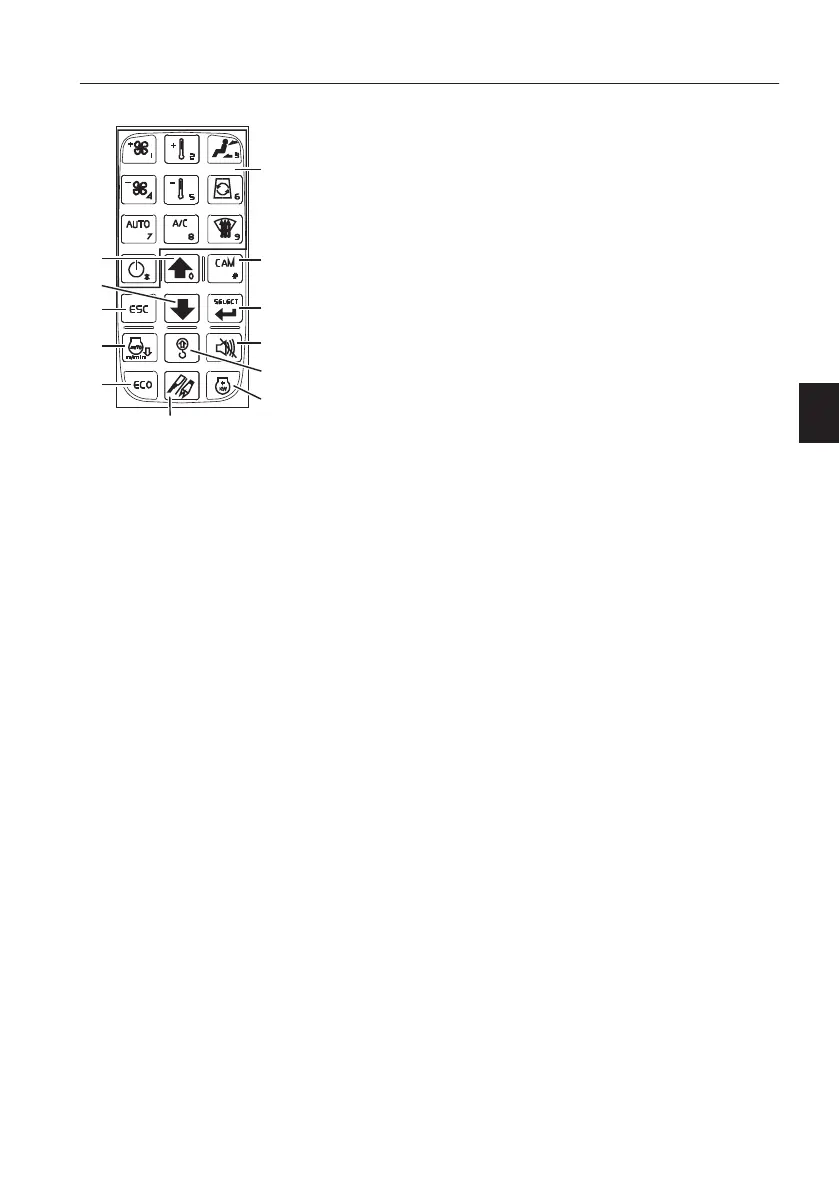
These buttons are used to control the climate
system. See page
72
.
2
)
C
a
m
e
r
a
b
u
t
t
o
n
(
n
o
t
a
p
p
l
i
c
a
b
l
e
)
N
O
T
E
!
Info message "Not supported function" will pop up
on I-ECU when this button is pressed. Press ESC
button to turn off the pop-up message. Otherwise
the pop-up message disappears automatically after
3 seconds.
3
)
S
e
l
e
c
t
b
u
t
t
o
n
This button is used to confirm the item or setup the
user select.
4
)
B
u
z
z
e
r
s
t
o
p
b
u
t
t
o
n
(
n
o
t
a
p
p
l
i
c
a
b
l
e
)
N
O
T
E
!
Info message "Not supported function" will pop up
on I-ECU when this button is pressed. Press ESC
button to turn off the pop-up message. Otherwise
the pop-up message disappears automatically after
3 seconds.
5
)
O
v
e
r
l
o
a
d
w
a
r
n
i
n
g
b
u
t
t
o
n
(
n
o
t
a
p
p
l
i
c
a
b
l
e
)
N
O
T
E
!
Info message "Not supported function" will pop up
on I-ECU when this button is pressed. Press ESC
button to turn off the pop-up message. Otherwise
the pop-up message disappears automatically after
3 seconds.
V1163550
1
2
3
4
5
6
7
8
10
9
11
12
1 Climate control buttons
2 Camera button (not applicable)
3 Select button
4 Buzzer stop button (not applicable)
5 Overload warning button (not
applicable)
6 Auto idle button
7 Arrow up button
8 Arrow down button
9 ESC button
10 Hammer/shear button (not
applicable)
11 ECO button
12 Power maximum mode button
I
n
s
t
r
u
m
e
n
t
p
a
n
e
l
s
I
n
s
t
r
u
m
e
n
t
p
a
n
e
l
,
r
i
g
h
t
5
5



 To Next Page