02 Instruments and controls
Cruise control*
02
70
* Option/accessory, for more information, see Introduction.
Activating
G020141
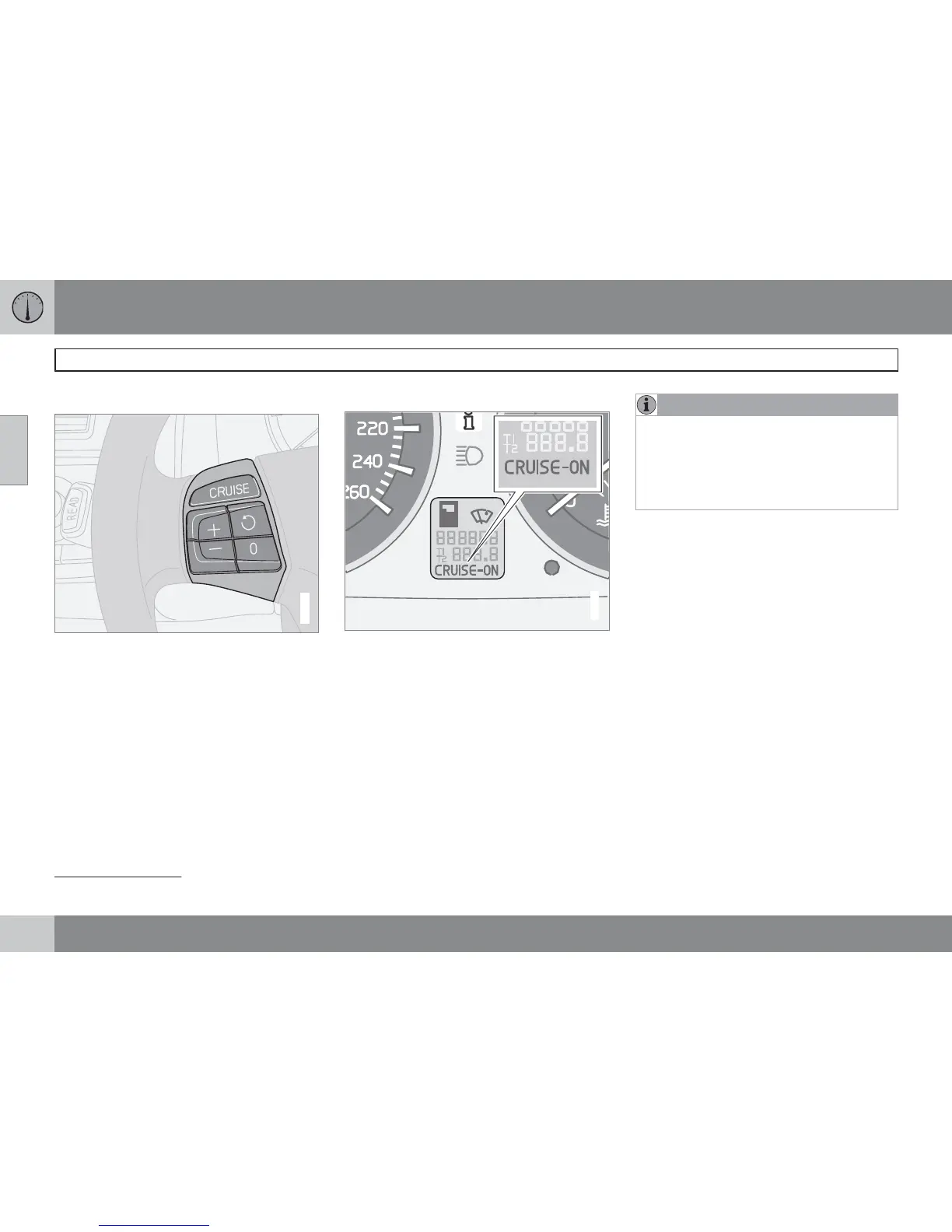
The controls for cruise control are to the left of
the steering wheel.
Setting the desired speed:
1.
Press the CRUISE button.
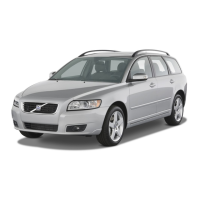
CRUISE is
shown on the combined instrument panel.
2.
Touch + or – to lock the vehicle speed.
CRUISE-ON appears in the combined
instrument panel.
Cruise control cannot be engaged at speeds
below 30 km/h or above 200 km/h.
Increasing or decreasing speed
G029054
– Increase or decrease the speed by press-
ing and holding + or –. The speed of the car
when the button is released is set as the
new speed.
A brief press (less than half a second) on + or
– changes the speed by 1 km/h or 1 mph
1
.
NOTE
A temporary increase in speed (less than
one minute) using the accelerator, such as
while overtaking, does not affect the cruise
control setting. When you release the accel-
erator, the car will return to the programmed
speed.
Temporary disengagement
–
Press 0 to disengage the cruise control
temporarily.
CRUISE will be shown on the
combined instrument panel. The speed set
earlier is stored in the memory.
The cruise control is also temporarily disen-
gaged when:
•
the brake pedal or clutch pedal is
depressed
•
speed falls below 25-30 km/h
1
when trav-
elling uphill
•
the gear selector is moved to position N
•
wheel spin or wheel lock-up occurs
•
a temporary increase in speed lasts longer
than one minute.
1
Depending on engine type.



 To Next Page