VONETS——VAP11N 300M WiFi Repeater WiFi Bridge
4
2. The operative mode of the device is “WiFi bridge+WiFi Repeater”, user no need switch WiFi
repeater and bridge.
Chapter 1 Quick Setting Guide of WiFi
Repeater mode
1. Configure VAP11N
Wireless connect VAP11N by laptops, smart mobiles, IPAD and other wireless devices.
The default WiFi SSID (WiFi name) is: VONETS_the last six characters of product MAC address.
The default WiFi password is 12345678
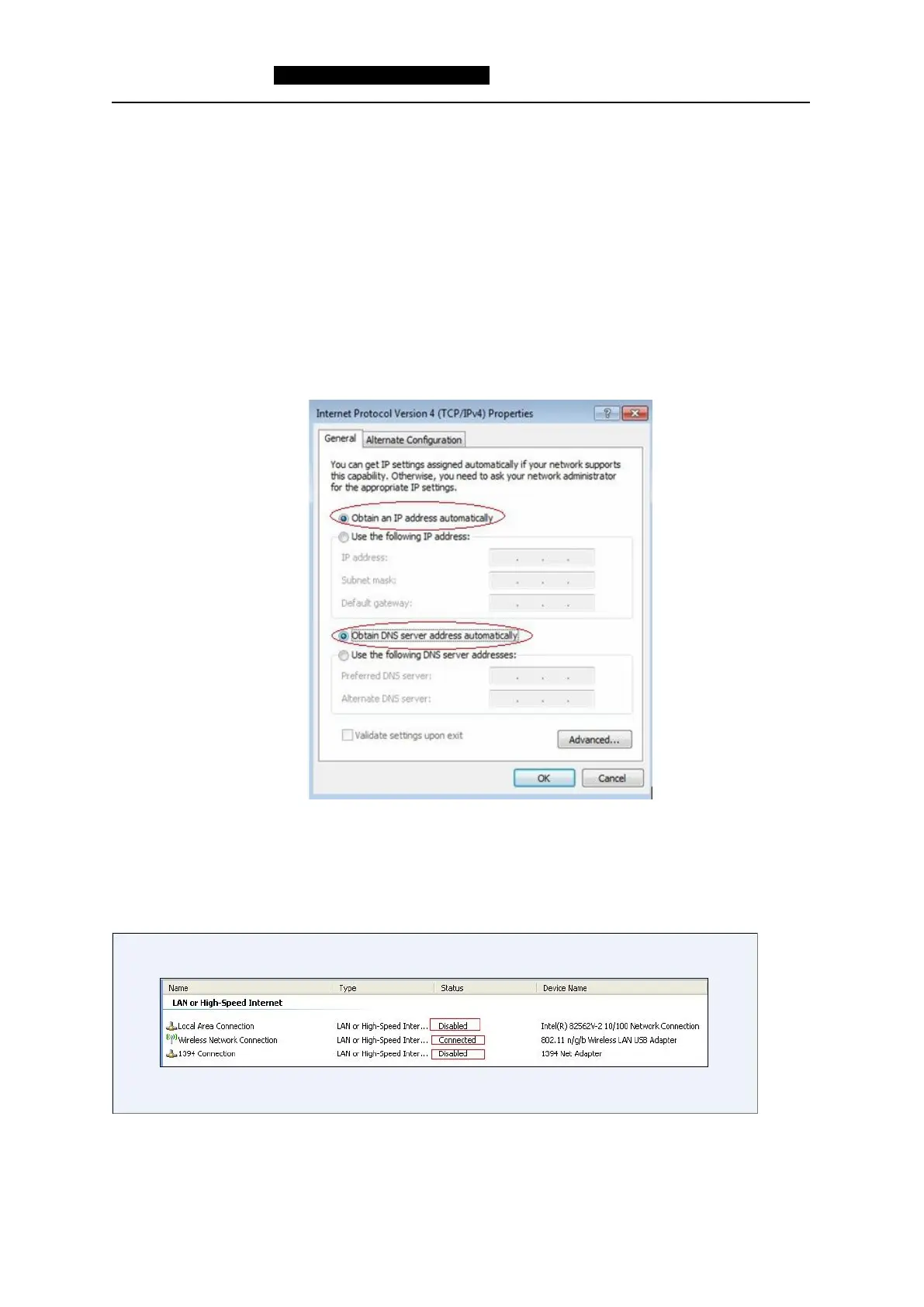
If you configure VAP11N by computer, please set computer IP address to obtain an IP address
automatically, please see the words in the red circle of the following picture:
Remark:
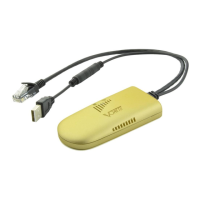
1) If users wireless connect VAP11N by computer, please disable the Local Area Connection and other
adapters.
2) If users wired connect VAP11N by computer, please disable the Wireless Network Connection and
other adapters.
2.Open the browser, enter http://vonets.cfg or enter the IP address of VAP11N: http://192.168.2
54.254.


 To Next Page