VONETS——VAP11N 300M WiFi Repeater WiFi Bridge
5
Remark:
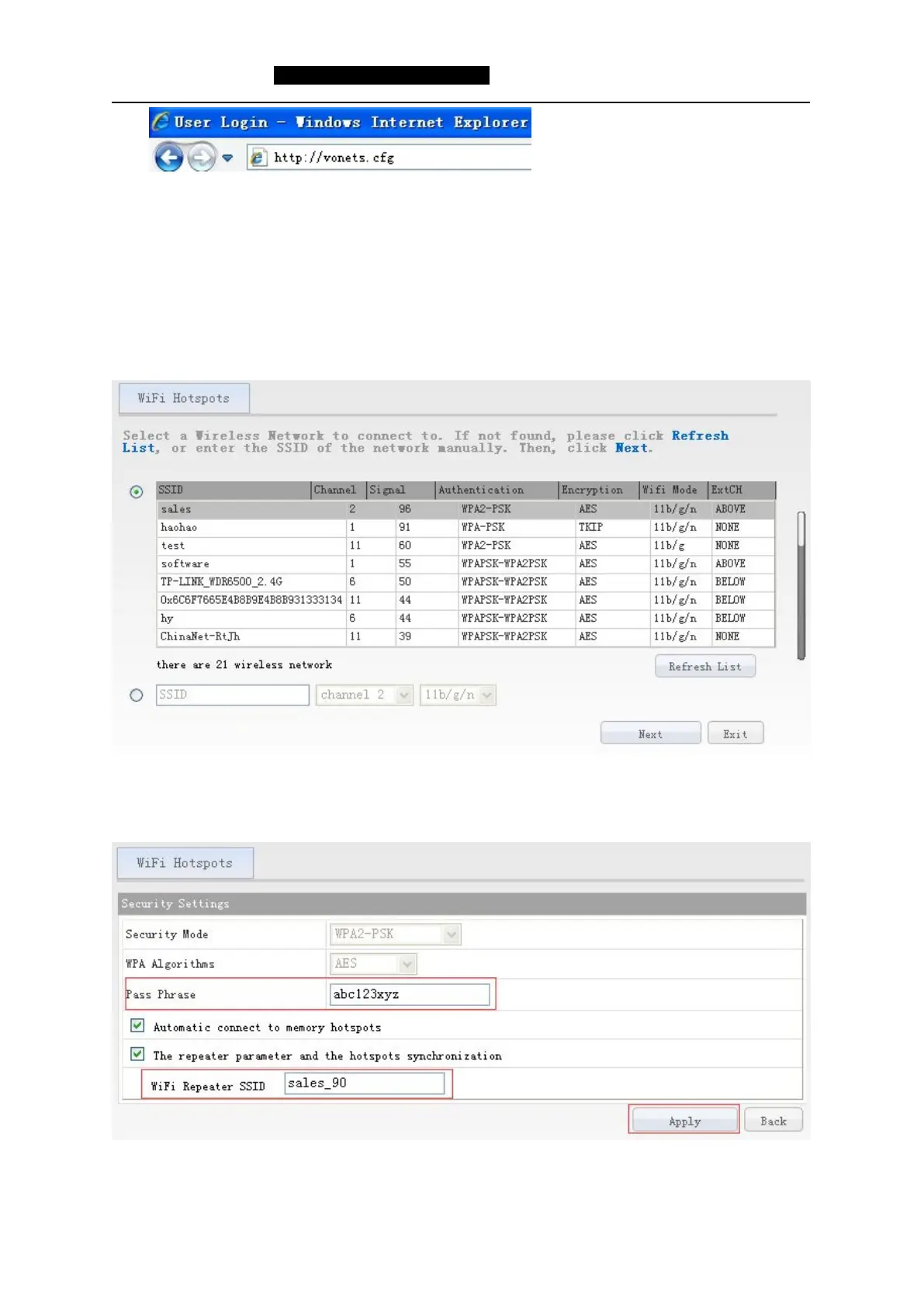
1)Enter domain name, then Enter, the login page will appear, the default user and password is
admin.
2)After reset to the factory, the default IP of VAP11N is 192.168.254.254.
After entering the IE browser, the WiFi hotspots window will appear, can search the WIFI hotspots
signal that opened SSID broadcast around, please see the following:
4. Choose a correct WiFi signal, then click Next, the following interface will appear:
5. Enter the correct password of the wifi hotspot that VAP11N connected, confirm it is correct one,
then click Apply button.


 To Next Page