EasyManua.ls Logo

VORAGO BTE-400 - Page 14

VORAGO BTE-400
Print Icon
To Next Page IconTo Next Page
To Previous Page IconTo Previous Page
Loading...
ENGLISH
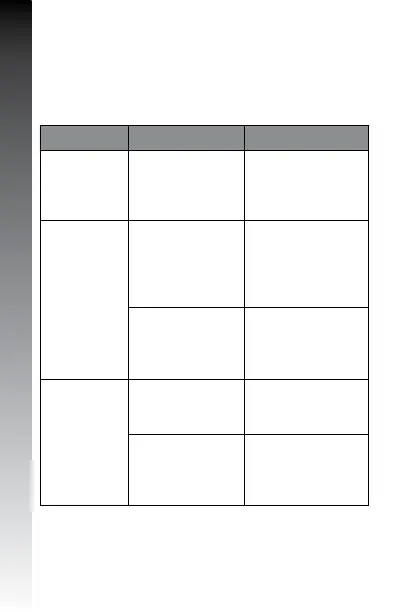
TROUBLESHOOTING
IncaseofdifficultieswiththeconnectionmakesurethattheBluetooth
functionisactivatedinthephoneandiswithintherecommendedvaluesofthe
device,theheadsetischargedandturnedon.
Problem Cause Solution
Thedevice
don’tturnon
Lowbattery Chargefor2hours
Thedeviceis
notcharging
Thedeviceneedto
restart
PresstheMFBfor3
seconds
Thechargerisnot
connectedcorrectly
Makesurethecharger
isconnectedcorrectly
Thedeviceis
notfoundwhen
yousearchforit
inBTmode
Theheadsetdoesnot
enterintothepairing
mode.
Enabletheheadsetto
enterintothepairing
mode.
TheBluetooth
application
ofthesmartphoneis
inerror.
Resetthesmartphone
andstartagain
topairthecellphone
withtheheadset.