12 English
HOW TO USE OSCILLATION
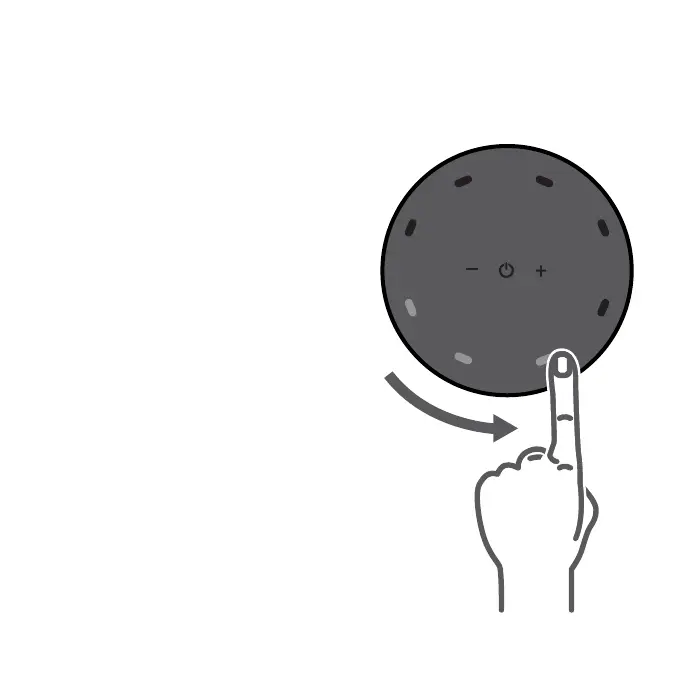
5. Tap and swipe your nger along the
control panel perimeter to set the desired
oscillation direction and angle. The
oscillation path and direction of airow is
indicated by the blue LEDs as shown on
the display.
Tip: To activate innite 360 oscillation,
swipe nger along control panel perimeter
in full circle and overlap where you started.
6. To change oscillation path, tap anywhere
to pause current oscillation path and then
drag your nger along the control panel’s
perimeter to create new oscillation path.
Note: The display will dim after 3 seconds
of inactivity and reawaken with any touch
to the control panel.




 To Next Page