15
that the wave has been saved. This saved wave will
also be used in EcoSmart mode. To fine tune the
wave, press MODE to speed up the wave and OPTION
to slow it down. Press SET to save the wave.
AUTO TUNE
WATCH THE VIDEO:
ecote.ch/qdautotune
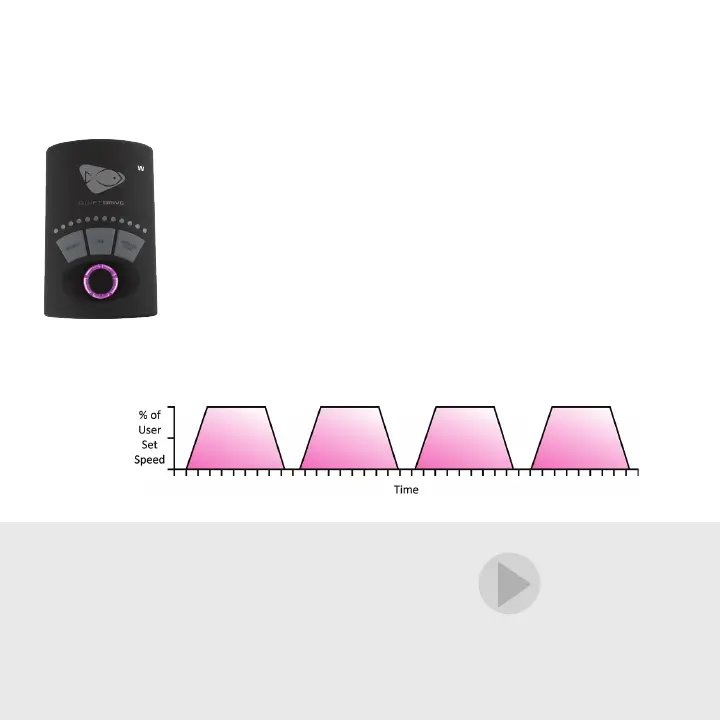
Gyre Mode
15
When first entering Gyre Mode, set the maximum pump
speed with the control dial and press the SET button
to lock it. The LEDs will begin to ramp, indicating the
pulsing frequency between 2 seconds and 2 hours.
Next, use the control dial to adjust the pulse frequency.
The first six LEDs represent 2 seconds to 2 minutes.
The seventh through 12th LEDs represent 5, 10, 20, 60,
90 and 120 minutes, respectively. Press and hold SET
until the control dial flashes and then breathes pink,
indicating the wave is saved.


 To Next Page