27
FOR INSTALLERS AND PROFESSIONALS
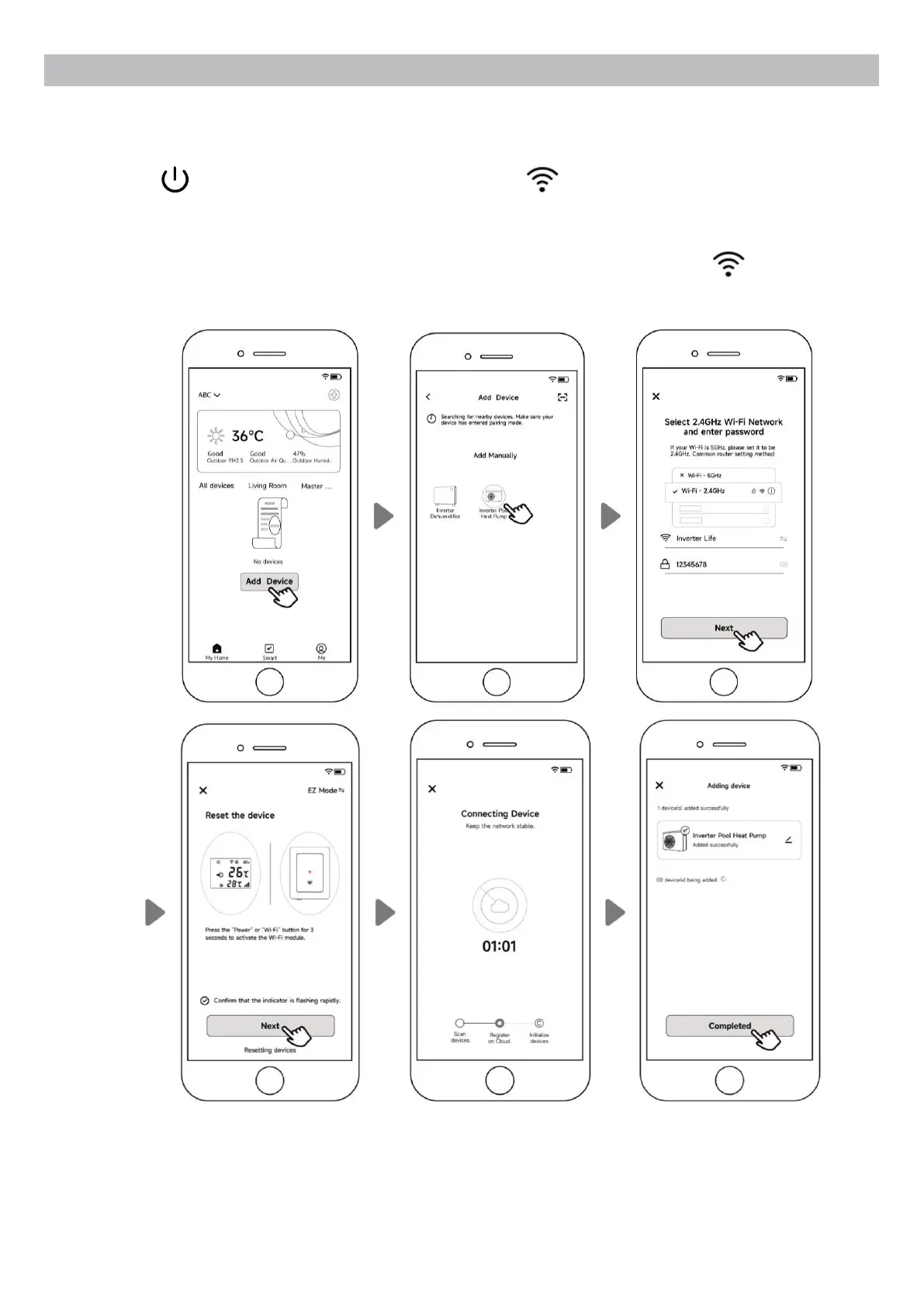
5.4.2. EZ Mode (Easy-connect)
a) Activate the Wi-Fi module
Press for 3 seconds after the screen unlocks, will be ashing rapidly to enter Wi-Fi
binding status.
b) Click "Add device", and follow the instructions below to nish binding. display on the
screen once the Wi-Fi connection success.
Note: After allowing the APP to locate, it can read the Wi-Fi name automatically.


 To Next Page