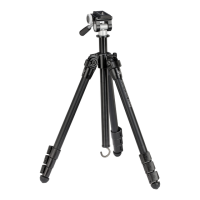
SUMMIT
™
CARBON II
6 7
VIP WARRANTY
OUR UNCONDITIONAL PROMISE TO YOU.
We promise to repair or replace
the product. Absolutely free.
Unlimited.
Unconditional.
Lifetime Warranty.
service@VortexOptics.com • 1-800-4VORTEX
Note: The VIP Warranty does not cover loss, theft,
deliberate damage, or cosmetic damage not
affecting product performance.
For additional and latest manuals, visit VortexOptics.com
Attaching Optics to Pan Head
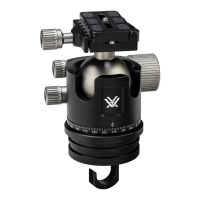
The pan head uses Arca-Swiss style quick-release plates.
To mount your optic/camera to the tripod:
1. Twist the Quick-Release Locking Knob counter-clockwise to
remove the Quick-Release Plate.
2. Attach the plate to your optic. Be sure to tighten the Mount
Bolt from the bottom side of the plate and flip the D-ring so
it lies flat.
3. Place the Quick-Release Plate back into the tripod head and
turn the Quick-Release Locking Knob clockwise to securely
lock the plate in the head.
Note:
To mount binoculars to the tripod, a binocular adapter is required. Purchase Vortex
®
binocular adapters
from your local dealers.
Note: Some optics are designed to be Arca-Swiss compatible and can be mounted to the tripod head without
the need for plates.
Tip: Purchase additional quick-release plates for your optics so it is easy for you to switch equipment.
Quick-Release Plate
and Mount Bolt
Quick-
Release
Locking
Knob


 To Next Page