SIM MANAGEMENT
CARD INSERT MANUAL
Reminder:
Please turn off the tablet before changing or replacing the TF
card.TF card does not come with the tablet please purchase
separately.
Do not insert or remove the SiM card when the tablet is turned on.
Please choose which SIM card slot to be the main one to be for 4G
network via Setting > SIM Card . Choose your preferred network
types of 4G/3G/2G via Setting > Network & lnternet >Mobile network
>Preferred network type.
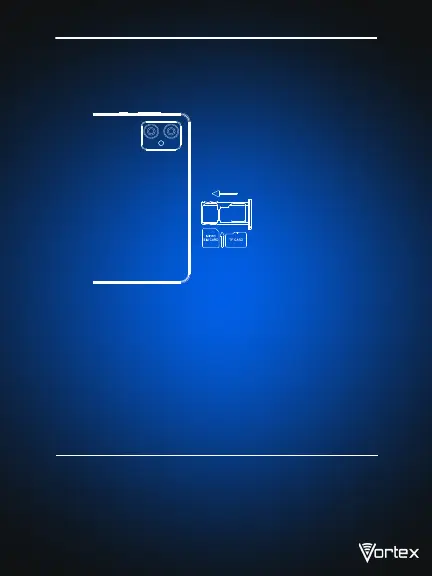
TF Card lnstallation
Please place the metal sim tray slot on TF card Place ,be aware of the
direction of the cut edge.
Insert Micro-SIM Card
Insert a Micro SIM card. Insert the Micro-SIM card with the chip facing
down. Note the direction of cutting a Micro-SIM card into a slot.
Insert the card directly into the device.
3


 To Next Page