Need help?
Do you have a question about the Vortex T10M and is the answer not in the manual?
Details on Model, OS, CPU, GPU, RAM, ROM, and Battery capacity.
Network bands, Wi-Fi, Bluetooth, GPS, ports, and supported file formats.
Device compliance with FCC Part 15, conditions for operation, and interference mitigation.
Device tested for RF exposure, meets FCC/ISEDC guidelines for body-worn use with accessories.
Tests for body-worn operation, use of specific leather case ensures RF exposure compliance.
SAR limit 1.6 W/kg; tested 10mm from body; use compliant accessories and antenna.
This document provides a comprehensive guide for the T10M device, outlining its features, usage instructions, and important safety and maintenance information.
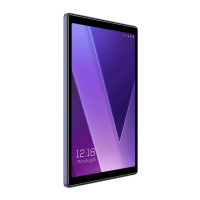
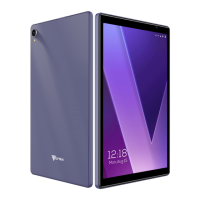
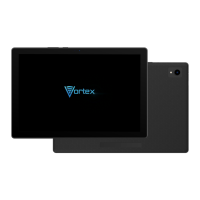
The T10M is a versatile tablet designed for a range of functions, including communication, multimedia consumption, and basic productivity tasks. Its user-friendly interface and thoughtful design aim to provide a seamless experience for its users.
The T10M serves as a portable computing device, capable of connecting to the internet via Wi-Fi and cellular networks (4G/3G/2G). It supports various multimedia formats, allowing users to enjoy videos, music, and images. The device is equipped with front and rear cameras, enabling users to capture photos and videos. It also features a 3.5mm audio jack for private listening with headphones and a microphone for audio input.
For communication, the T10M supports SIM card functionality, allowing for cellular data and, presumably, voice calls, although the manual primarily focuses on data network management. Bluetooth connectivity is also integrated, facilitating wireless connections with other Bluetooth-enabled devices for data transfer and audio streaming.
The device's core functions are managed through its Android operating system, which provides access to a wide array of applications and services. Users can navigate the interface using the multi-touch display.
The T10M's design incorporates several physical features for intuitive operation. The power button, located on the side of the device, serves multiple purposes. A long press turns the device on or off, while a short press can be used to turn the screen on or off. This dual functionality streamlines device control, allowing users to quickly manage power states.
Volume adjustments are handled by a dedicated volume button, also located on the side. A short press on this button allows users to increase or decrease the volume, providing quick audio control without needing to access on-screen menus.
The device includes a Type-C USB port, which is a modern and versatile connection standard. This port is likely used for charging the device and for data transfer, offering convenience and compatibility with a wide range of accessories.
For expandable storage, the T10M features a SIM/T-flash card slot. This slot supports both a Micro-SIM card for cellular connectivity and a TF card (also known as a microSD card) for additional storage. The manual provides clear instructions on how to properly insert both types of cards, emphasizing the correct orientation to ensure proper function and prevent damage. Users are reminded to ensure the metal contact of the TF card is facing down when inserting it. It also specifies that the SIM card should be inserted with the chip facing down.
Network management is a key usage feature. The device allows users to choose their preferred network types (4G/3G/2G) via the settings menu, providing flexibility based on available network coverage and data needs. Wi-Fi connectivity is also straightforward, with the device capable of detecting and connecting to available Wi-Fi networks. The manual details how to connect to Wi-Fi, including entering passwords for secured networks.
The T10M also supports Wi-Fi Hot-spot functionality, enabling the device to act as a portable router, sharing its cellular data connection with other devices. This feature is particularly useful for users who need to connect multiple devices to the internet while on the go. The manual explains how to set up and manage the Wi-Fi Hot-spot, including setting a network name and password.
The camera functionality is designed for ease of use. Users can access the camera application to capture photos and videos. The manual mentions features like "Capture" icon to take photos, "focus on" to adjust focus, and the ability to choose other modes such as video recording, beautifying, and panorama. The device is equipped with a 5MP front camera and an 8MP main camera with an LED flash, allowing for various photographic opportunities.
Bluetooth functionality allows for pairing with other devices. The manual describes how to search for and pair with Bluetooth devices, as well as how to transfer documents and other data.
Proper maintenance is crucial for the longevity and optimal performance of the T10M. The manual provides several important reminders and warnings to help users care for their device.
Regarding SIM and TF card management, users are explicitly warned not to insert or remove the SIM card when the tablet is turned on. This is a critical instruction to prevent potential damage to the card or the device's internal components. Additionally, users are advised to purchase TF cards separately and to ensure they are compatible with the device. If a TF card needs to be replaced, users should turn off the tablet before changing it.
The manual also includes general security information, highlighting the importance of using original or approved accessories to prevent damage and ensure safety. It warns against extreme temperatures, which can lead to deformation of the tablet and reduce battery life. Users are advised not to place the battery or tablet near heat sources like microwaves, ovens, or radiators, as this could cause the battery to explode. Furthermore, users are cautioned against crushing or piercing the battery, as this can cause internal short circuits and overheating.
For data connection and network sharing, users are reminded that enabling the network sharing function will consume mobile traffic and affect battery life. This encourages mindful usage to conserve resources.
The safety statement section provides crucial information regarding FCC and ISEDOC compliance, which are regulatory standards for electronic devices. It emphasizes that any changes or modifications not expressly approved by the party responsible for compliance could void the user's authority to operate the equipment. This underscores the importance of using the device as intended and avoiding unauthorized modifications.
The manual also details specific absorption rate (SAR) information, which is a measure of the energy absorbed by the body from radiofrequency electromagnetic fields. It states that the device meets government requirements for exposure to radio waves and that guidelines are based on scientific studies. Users are advised to maintain a separation distance between the user's body and the back of the device, especially when using accessories like belt clips or holsters, to ensure compliance with RF exposure requirements. It also states that accessories that do not satisfy these requirements should not be used.
In summary, the T10M is a feature-rich tablet designed for modern mobile usage. Its intuitive controls, versatile connectivity options, and integrated multimedia capabilities make it suitable for a wide range of users. Adhering to the provided usage and maintenance guidelines will ensure a safe and enjoyable experience with the device.
 General
| Screen Size | 10.1 inches |
|---|---|
| Resolution | 1280 x 800 pixels |
| Battery Capacity | 6000 mAh |
| Operating System | Android |
| Processor | Quad-core |

 To Next Page