VOS 5G Dongle User Manual
17
3.1.2.3
Setup firmware update driver package
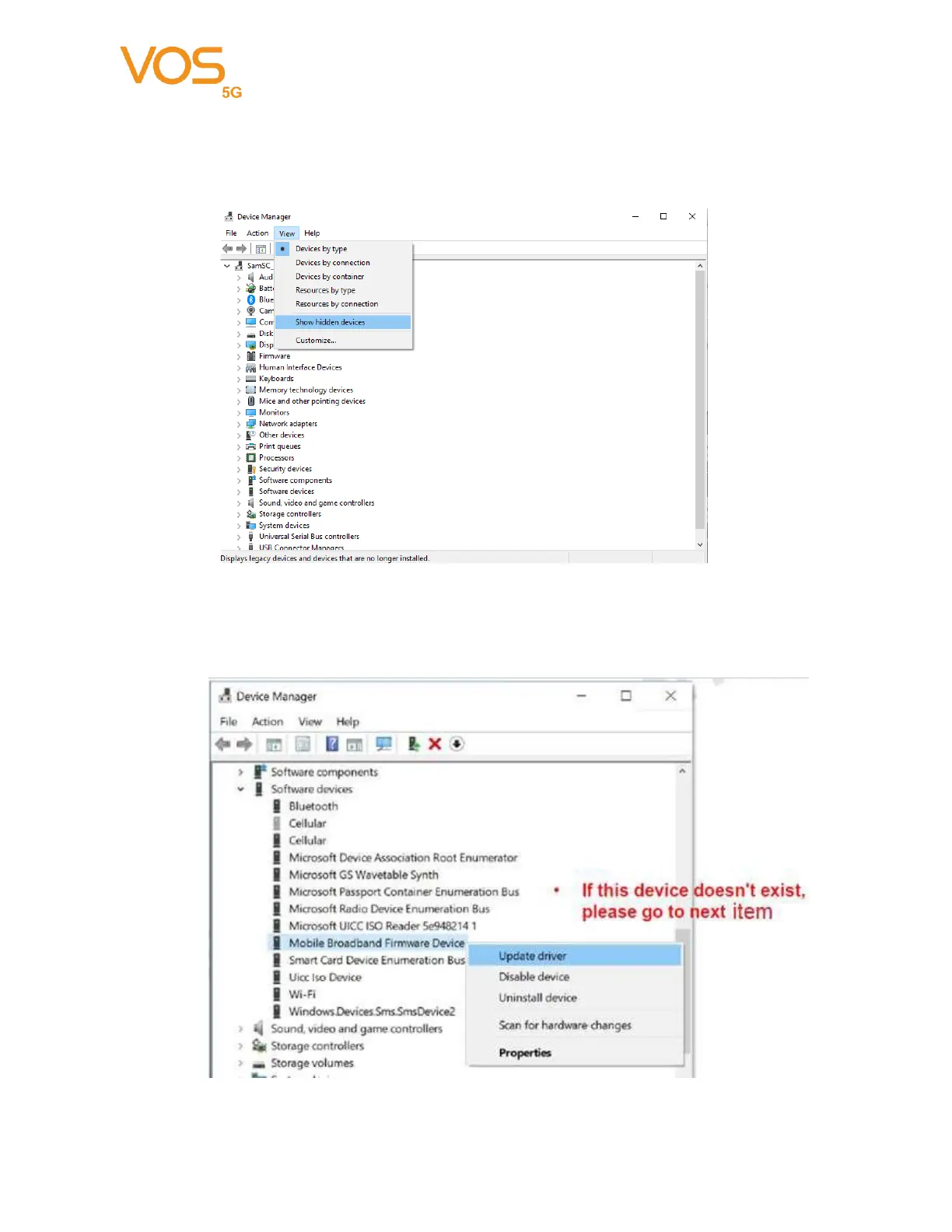
Open Device Manager, click “View” to select “Devices by type ”and click“ Show
hidden devices”
Go to “Software devices” session, right click on the “Mobile Broadband Firmware
Device” and select “Update driver”.


 To Next Page