VOS 5G Dongle User Manual
8
3.
Connectivity
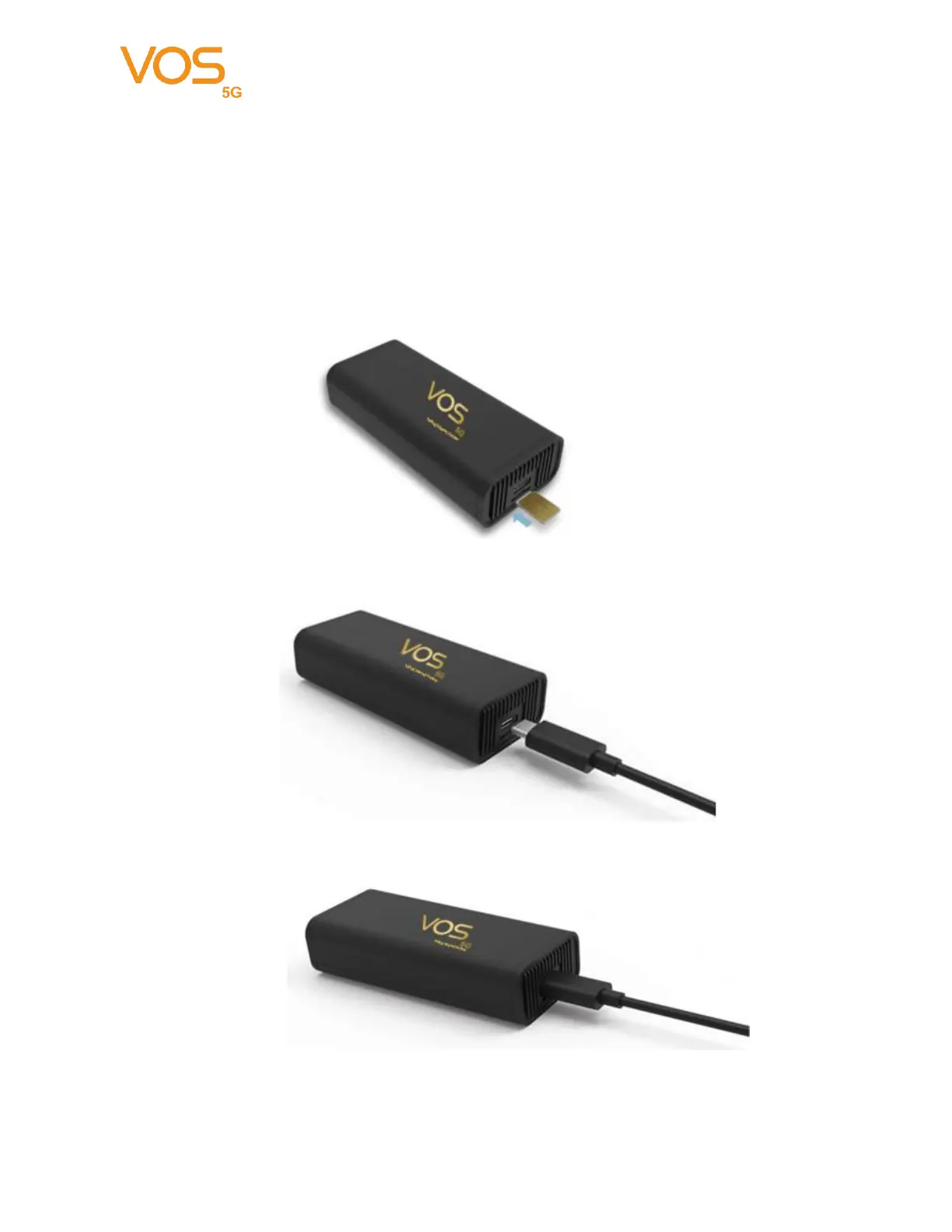
VOS 5G Dongle uses USB 3.1 Type C to Type C cable to link dongle & various host.
Need to use the certified cable in box to retrieve the best performance.
Note: Please do not use any other type of cable with Type C adapter to link the dongle
and various host.
Step 1: Insert Nano-SIM (Push In; Push Out)
Step 2: USB Cable
Step 3: Link to Host ex. PC, Notebook, IPC… etc.
Notice: Make sure the cable is well-plugged in device side before connected to host I/O.


 To Next Page