VOS 5G Dongle User Manual
26
3.2.1.1
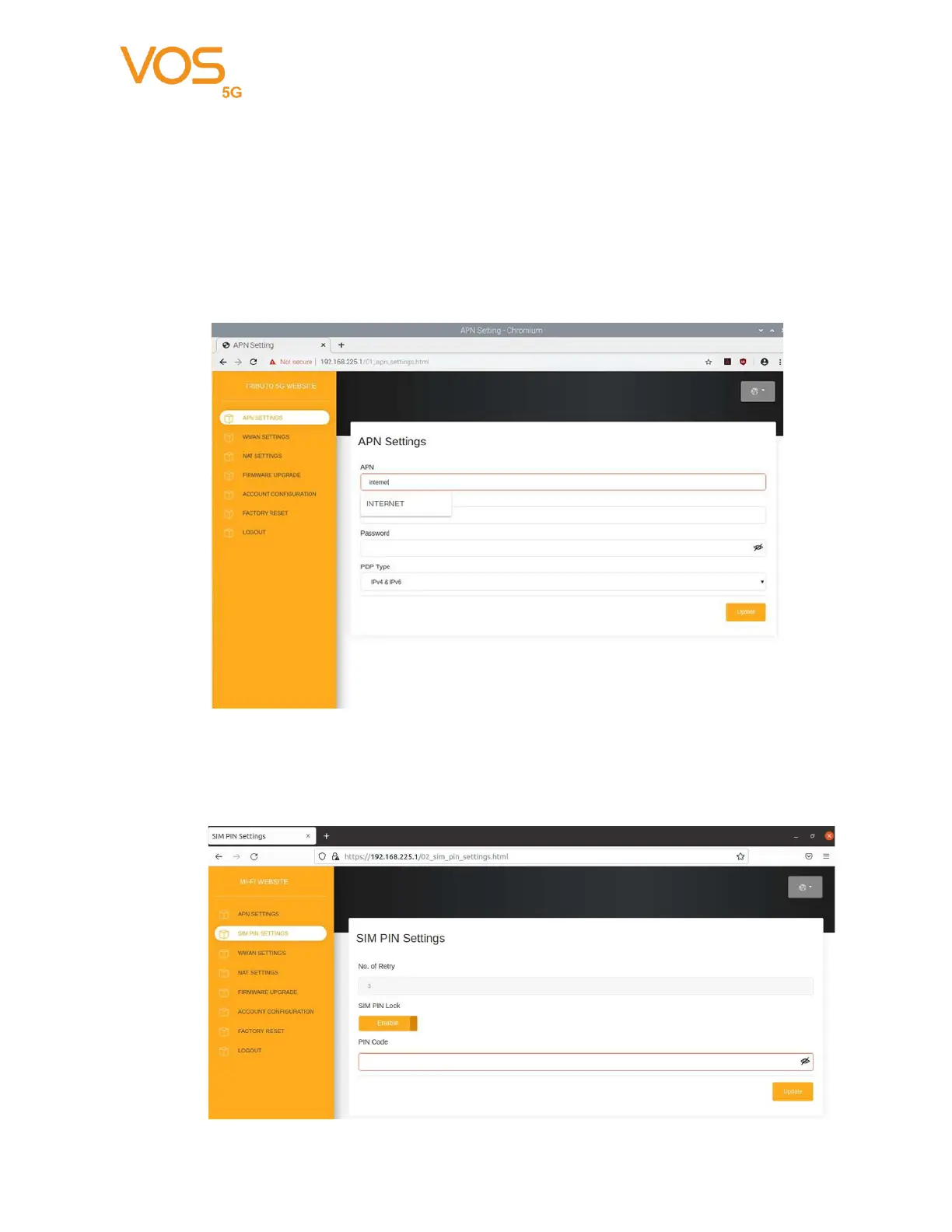
APN Settings
APN: Enter your service provider’s APN.
User Name/Password: Enter the username and password provided by your service
provider. PDP Type: Select PDP type (IPV4/IPV6/IPV4 & IPV6) that provided by your
service provider.
3.2.1.2
SIM PIN Setting
Enter SIM PIN code if your SIM is protected by PIN code. You can
Disable SIM PIN Lock if you don’t need this feature


 To Next Page