- 7 -
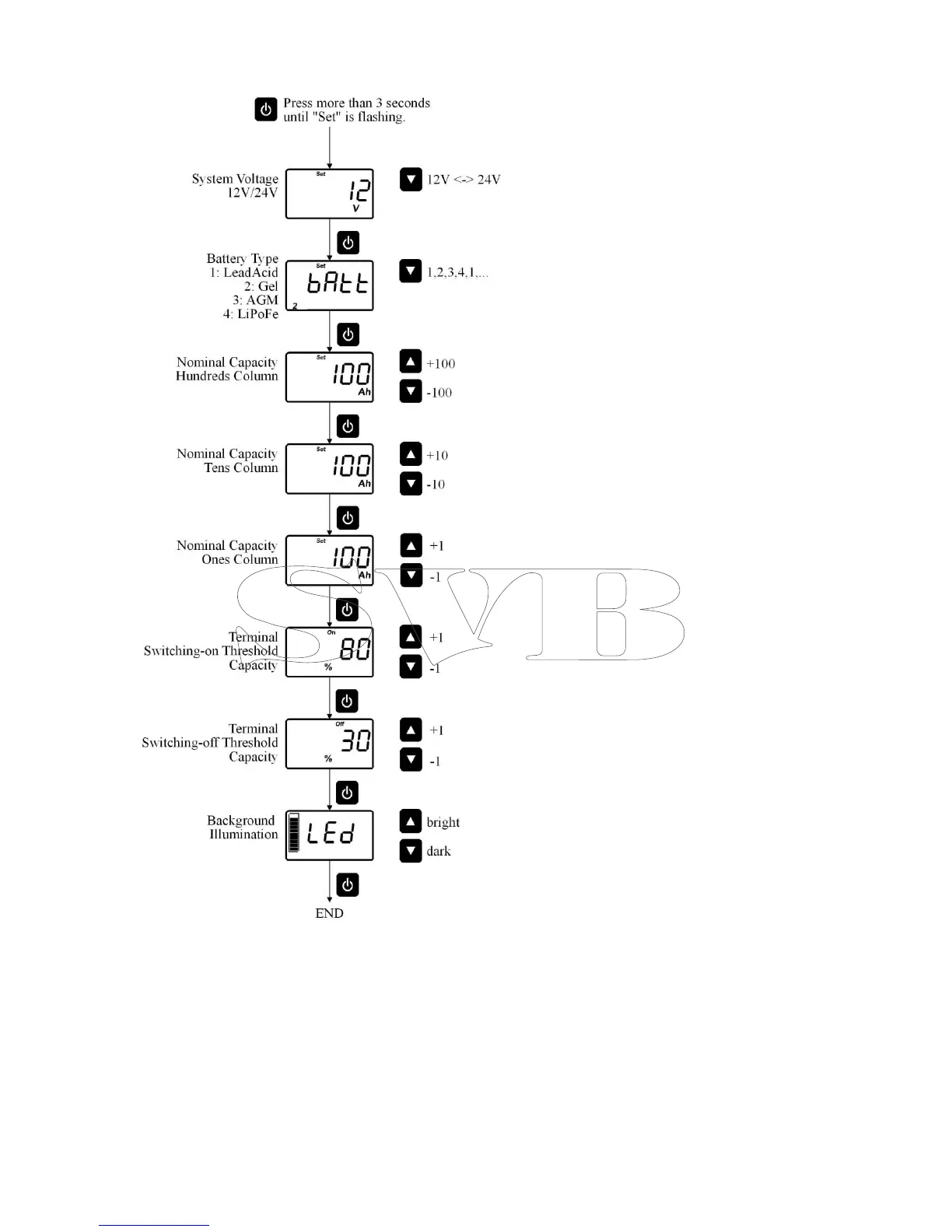
Settings Battery Computer:
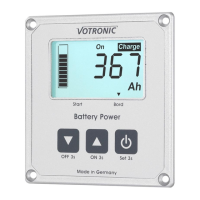
The menu for settings is called by pressing and
holding button 3 for more than 3 seconds.
The buttons 1 and 2 are used to set the values.
In the menu, the button 3 is used to save the setting
and to jump to the next menu item.
Adjustment of the System Voltage:
Adjust the system voltage (12 V or 24 V) of the board
mains supply.
Adjustment of the Battery Type:
Adjust the battery type 1...4 of the board battery.
1 = Lead Acid (Liquid-acid Lead Battery)
2 = Gel
3 = AGM
4 = LiPoFe
The battery type is shown in the left lower margin of
the display.
Adjustment of the Nominal Capacity:
The nominal capacity of the battery (see start-up) can
be adjusted in three steps. First, the capacity in steps
of 100 is adjusted, after that in steps of 10, and after
that in steps of 1 Ah. After adjustment of the nominal
capacity, the battery computer sets automatically a
residual capacity of 75 %. A full charging cycle is
required (see start-up).
Adjustment of the Terminal Switching-on
Threshold:
Here, the switching threshold for the automatic
activation of the terminal can be adjusted.
The switching threshold can be set to 101 %. Thus, an
automatic activation will never be reached.
Adjustment of the Terminal Switching-off
Threshold:
The same is true as for the switching-on threshold. An
automatic disconnection can be prevented by setting
this value to 0 %.
Adjustment of the Background Illumination:
The background illumination can be adapted from
bright to completely dark in steps of 10 % according
to the requirements.


 To Next Page
 Loading...