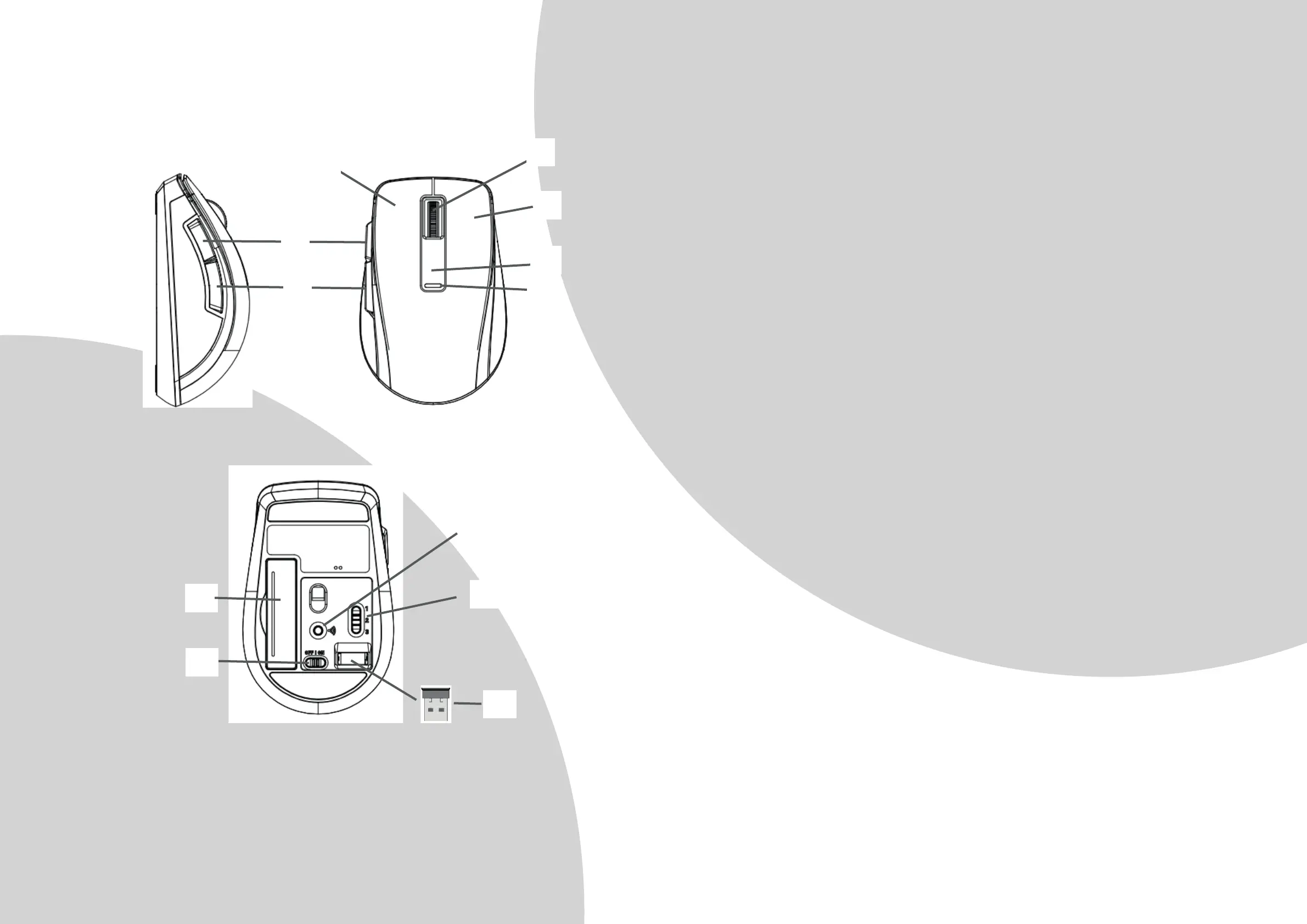
1. Le Buon
2. Right Buon
3. Vercal Scroll Wheel / Middle buon
4. Internet Explorer Forward
5. Internet Explorer Backward
6. DPI Switch buon to switch between 800/1600 DPI
7. Red LED indicator:
a. Power ON indicator:
ON for 6 seconds when Power is switched to ON.
b. Low Power Indicator:
Flash for 6 seconds when baery power is low.
c. DPI switch indicator:
Flash once or twice when switched to 800 or 1600 dpi
d. Bluetooth Pairing indicator :Flashing slowly in Bluetooth pairing mode unl
pairing is complete
e. PC S
witch indicator: ON for 3 seconds
8. Bluetooth Connect Buon
9. 3-Stage Switch for PC1(Bluetooth) / PC2(Bluetooth) / PC3(2.4GHz) switch
10. Nano Receiver
11. Baery Cover
12. Power On/Off Switch
Operaon
1. Insert the baeries
a. Li the baery cover up.
b. Insert Alkaline baery AAA x 2pcs. Please ensure the baeries’ polaries (+/-)
match the baery compartment’s polaries.
c. Close the baery cover.
d. Switch the Power on-off switch on the boom of the mouse to the ON posion.
e. The Red LED Indicator on the top case will be on
for 6 seconds when the power
is switched on.


 To Next Page