Thank you for choosing the BTunes tx. Please read this user’s manualcarefully
before use.
■ Before use
BTunes tx is a Bluetooth stereo transmitter. It can transmit music via Bluetooth
from player, cellphone, PC or TV...to the Bluetooth receive devices such as
Bluetooth receiver, Bluetooth headphone, Bluetooth speaker and so on.
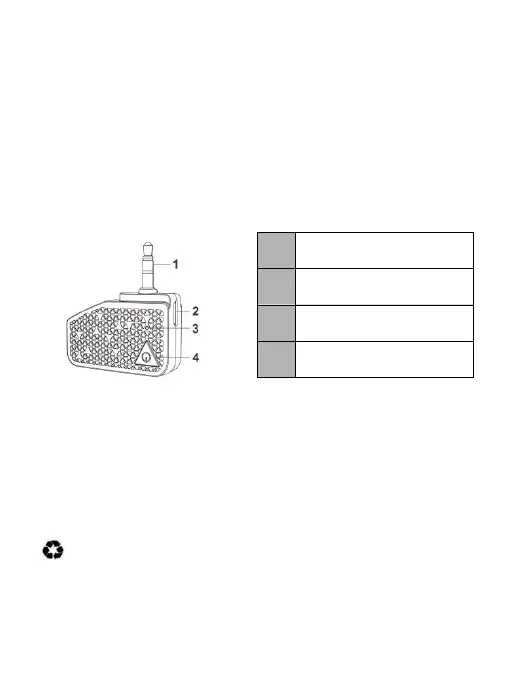
1. Overview
2. Charging the BTunes tx
When theBTunes tx needs to be charged, the red LEDflashes instead of blue
LED. Pleaserecharge the battery of the BTunes tx.
1) Plug the USB charging cable into the charging jack of a PC or a charger.
2) Plug the end of USB charging cable into the USB port on the BTunes tx.
RED light on→Charging
RED light off→Finished charging
3) It will take about 1.5 hours to finish charging.
Warning:
The battery is recyclable.Batteries (battery pack or batteries installed)
shall not be exposed to excessive heat, such as sunshine, fire or the like.
1


 To Next Page