19
ENGLISH
T70
Before connecting the unit, it is advised that you also consult your
current equipment instruction manual.
IMPORTANT:
Be sure to turn off the equipment before you make
changes to the different connections.
1. Connect the AC adapter to an AC outlet.
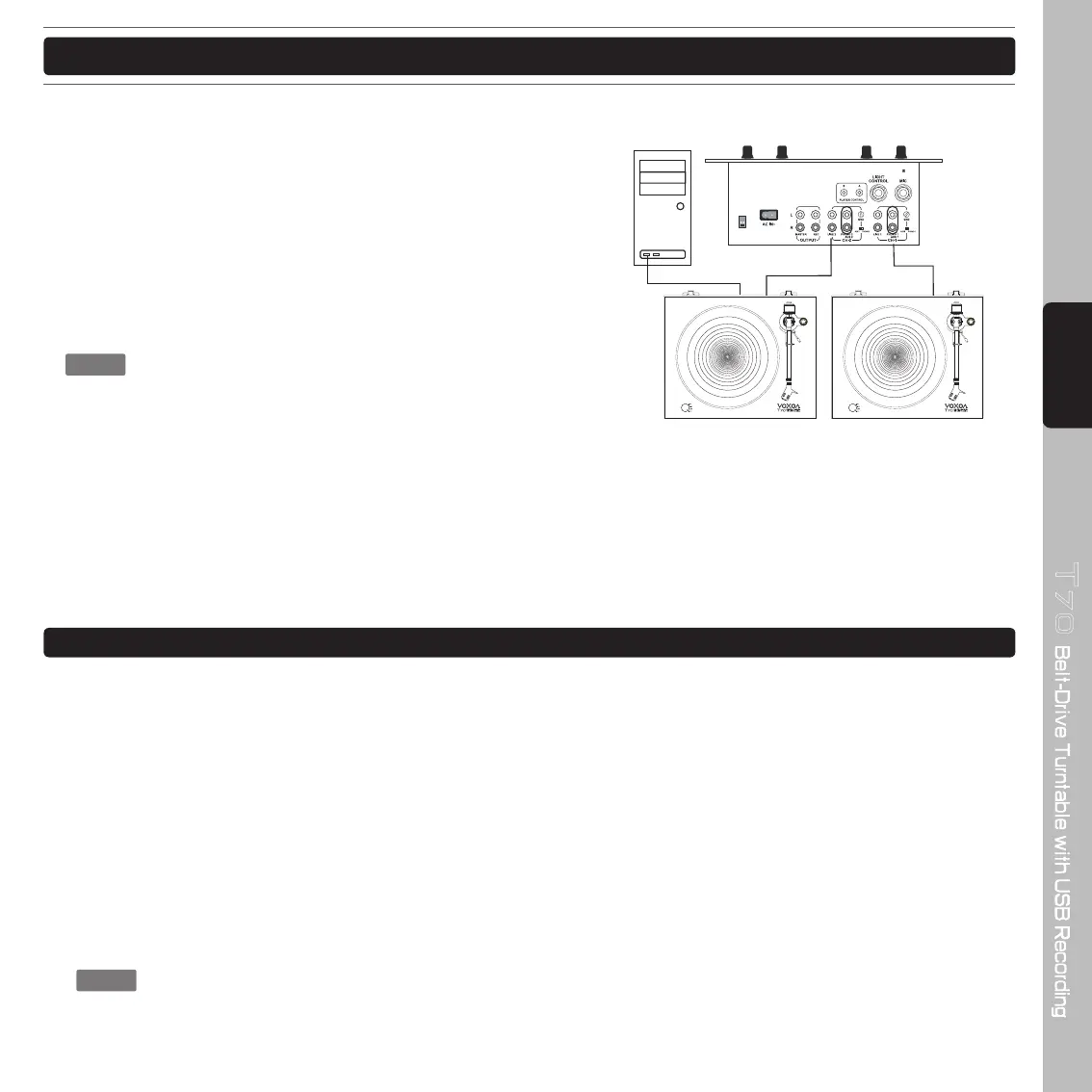
2. Connect the RCA cable to the PHONO input of your AMPLIFIER.
Output terminals Amplifi er (Receiver)
L (White) L Channel
R (Red) R Channel
GND (Spade) GND
: Be sure to connect the ground terminal firmly to the
amplifi er or receiver to avoid pops.
If this connection is not made or is loose, a power
source "HUM" will result.
You can also use a line input by setting the PHONO/LINE switch at the rear of the turntable to LINE.
3. Connect PC via USB cord.
Before you play a record, turn down the volume of the connected audio device (an amplifi er, peakers, etc.) to avoid a
possible loud crackling noise. The crackling noise made by the stylus coming into contact with the vinyl record could
damage the audio device. Wait until the stylus is completely placed on the vinyl record, and then turn up the volume.
1. Place a record onto the platter.
Place only one vinyl record on the platter at a time.
To play a 17 cm (7 inch) vinyl record, place the supplied 45 rpm adaptor on the spindle.
2. Rotate the SPEED/POWER rotary switch knob to select the rotation speed appropriate to the vinyl record.
3. Unlock the tone arm lock and push the tone arm lifter lever toward the back of the turntable. The tone arm slowly
ascends.
4. Gently hold the headshell to move the tone arm to the position over the desired track.
5. Pull the tone arm lifter lever toward the front of the turntable. The tone arm slowly descends and playback starts.
To stop the playback before it fi nishes, push the tone arm lifter lever toward the back of the turntable. The tone
arm slowly ascends and the playback stops.
: • When closing the dust cover, close it slowly to avoid making physical force that may cause the stylus
to skip.
• During playback, keep your hands away from the tone arm and the turning vinyl record.
• During playback, do not stop the rotation of the platter by hand.
CONNECTION
PLAYING A RECORD
Set the PHONO/LINE Selector
to “LINE” position.
Set the PHONO/LINE Selector
to “PHONO” position.
PC


 To Next Page