32020 Voxx Electronics Corporation. All rights reserved.
Activating the Trunk Release Feature (Optional)
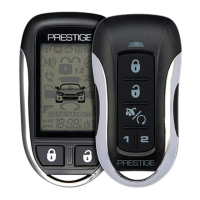
If this feature is enabled on your system, press and hold the button for
three (3) seconds to open the vehicle’s trunk or hatch.
Door Lock
To lock the vehicle doors press and release the button.
Door Unlock
To unlock the vehicle doors press and release the button.
Remote Starting Your Vehicle
To activate the remote vehicle start function, press and release the
button two (2) times within two (2) seconds. The vehicle will start and run the
predetermined time set up during installation (5 to 60 minutes selectable).
Remote Start Shutdown
Press and release the button two (2) times within two (2) seconds to turn
the vehicle o. Pressing the vehicle’s brake will also shutdown the remote
start.
Using the Personal Protection Alarm (Panic) (Optional)
If this feature is enabled on your system, press and hold the button for
three (3) seconds to activate the personal protection alarm. To stop the
alarm, press and hold the button on the transmitter again for 3 seconds.
Preheating or Precooling the Vehicle’s interior
Before exiting the vehicle, set the temperature controls to the desired
setting and operation. After the system starts the vehicle, the heater or air
conditioner will activate and heat or cool the vehicle’s interior to your setting.
Using Your Remote Control
Remote Start Service Mode
For safety, the remote star feature can be disabled to prevent accidental
starting while the vehicle is being serviced.
To engage Remote Start Service Mode
1. Press and hold the valet button.
2. Cycle the vehicle’s ignition ON/OFF three (3) times.
3. Release the valet button.
The LED will begin to ash two (2) short ashes followed by one (1) long
ash to indicate Remote Start Service Mode is active. Repeat steps 1-3
above to disengage Service Mode.



 To Next Page