PAIRING WITH YOUR PHONE (BLUETOOTH)
The Project Nursery Dreamweaver can also play music from your smartphone or other Bluetooth
device. Here’s how to set it up.
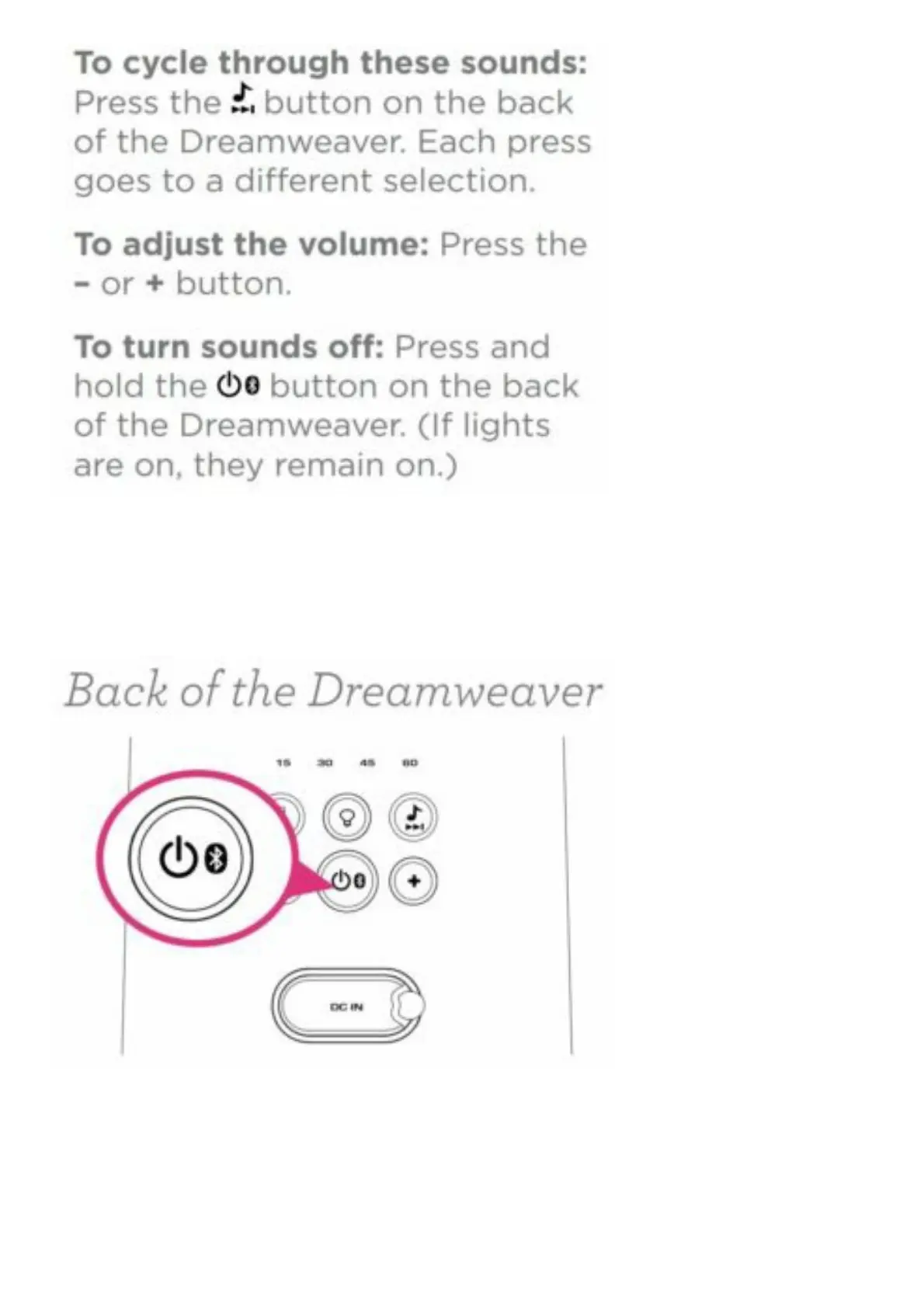
With the Dreamweaver on, give a short press to the power button on the back of the Dreamweaver.
The blue indicator light on the back of the Dreamweaver starts blinking.
Enable Bluetooth on your smartphone or other device (if it isn’t already enabled).
Choose “PN Dreamweaver” from the list of pairing options on your smartphone. (If it’s not in the list,
choose “Scan” from your phone’s Bluetooth menu.)
The Dreamweaver gives an audio signal when it’s finished pairing and connecting to your smartphone.


 To Next Page