ICON USER’S MANUAL: SECTION 8 VIRGINIA PANEL CORPORATION
8-1 For the most current information available, visit www.vpc.com.
6/7/18
ICON PCB LAYOUT AND MOUNTING OVERVIEW
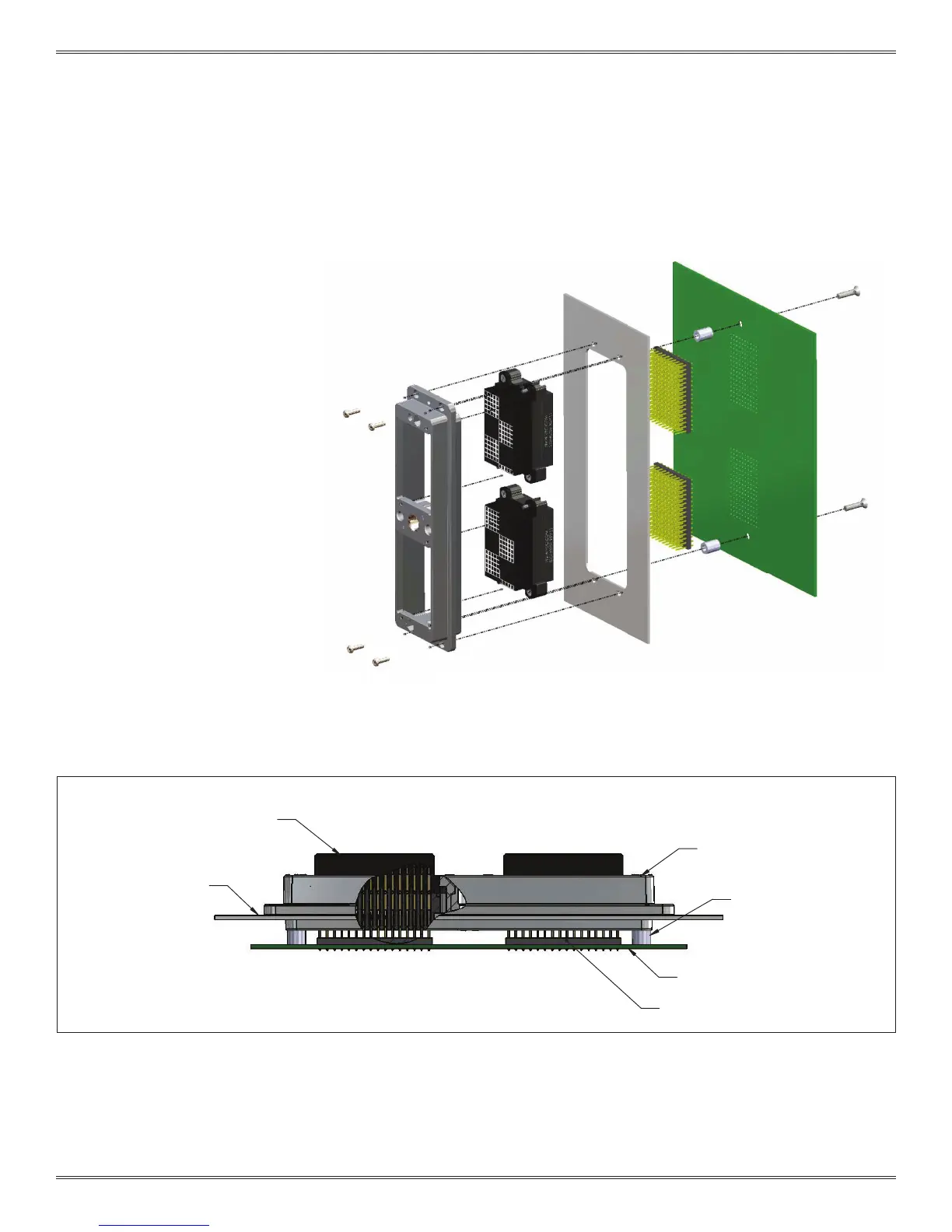
Figure A.
The iCon receiver is designed as a rack and panel
mount connector that can have a PCB attached
on the rear side. While it is capable of being
mounted directly to a PCB without an intermediary
panel, VPC recommends mounting the iCon
receiver to a panel and then mounting the PCB to
the other side of the panel using stand-offs (Figure
A). This will reduce the amount of stress the PCB
endures when the iCon is mated and un-mated.
Standard .100" spacing male header
Custom mounting panel
Threaded Stand off
iCon Receiver frame, 31012310
(customer desired length)
Custom printed circuit board
Receiver module with Quadrapaddle
Twin Female contacts, 510160105



 To Next Page