ICON USER’S MANUAL: SECTION 4 VIRGINIA PANEL CORPORATION
4-2 For the most current information available, visit www.vpc.com.
6/7/18
ICON ITA COVER INSTALLATION
PART # 410 123 XXX
TOOLS REQUIRED
Flat Head Screwdriver
Phillips Head Screwdriver
COVER INSTALLATION INSTRUCTIONS
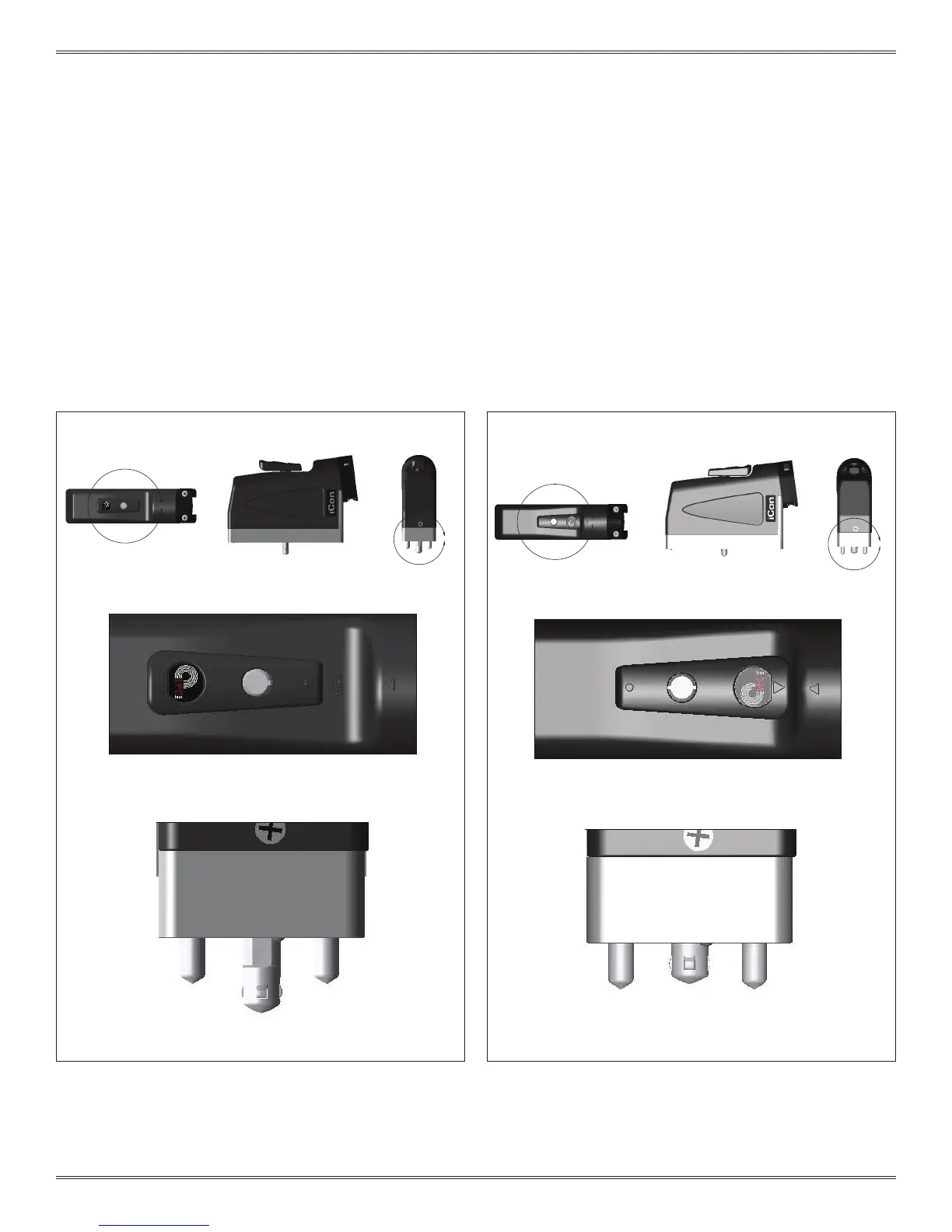
There are two options for installing the cover:
OPTION A: Installing the cover while the iCon ITA is disengaged from the
receiver or the ITA is in the disengaged position (Figure A).
OPTION B: Installing the cover while the iCon ITA is engaged to the
receiver or the ITA is in the engaged position (Figure B).
A
B
Figure A. iCon ITA in the open position.
D
C
DETAIL C
SCALE 2 : 1
DETAIL D
Figure B. iCon ITA in the engaged position.
DETAIL B
DETAIL A
SCALE 2 : 1


 To Next Page
 Loading...