Vacuum Sealer Machine | 4
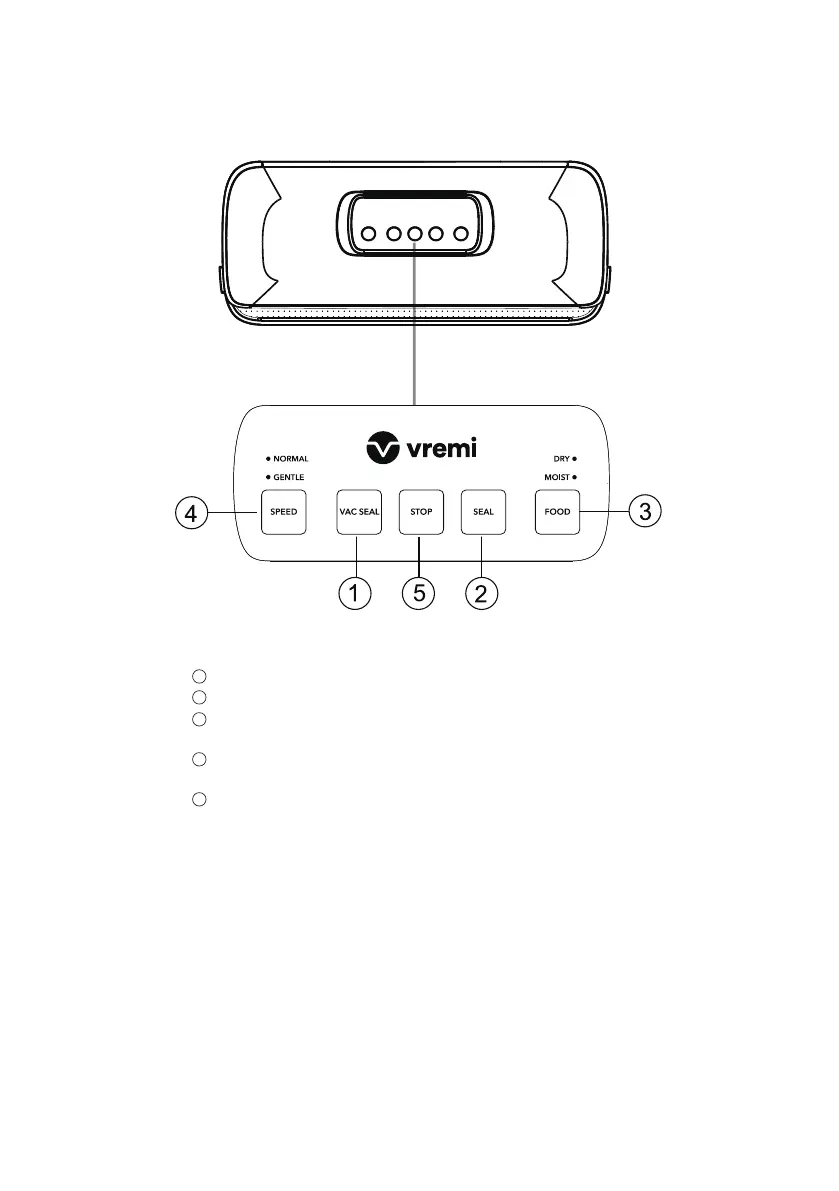
Control Panel
1
Vac Seal button: Vacuum seal a vacuum bag.
2
Seal button: Seal the open edge of a bag.
3
Food button: Switch between dry (default) mode and moist mode.
Choose the mode according to your food type.
4
Speed button: Switch between normal and gentle speed.
If the food is crumbly, select the gentle speed.
5
Stop button: Stop the vacuum sealing.
Important note: If vacuum seal a bag with food, press the
Vac Seal button. Do not press the Seal button, it is only for
sealing an end of a bag.



 To Next Page