24
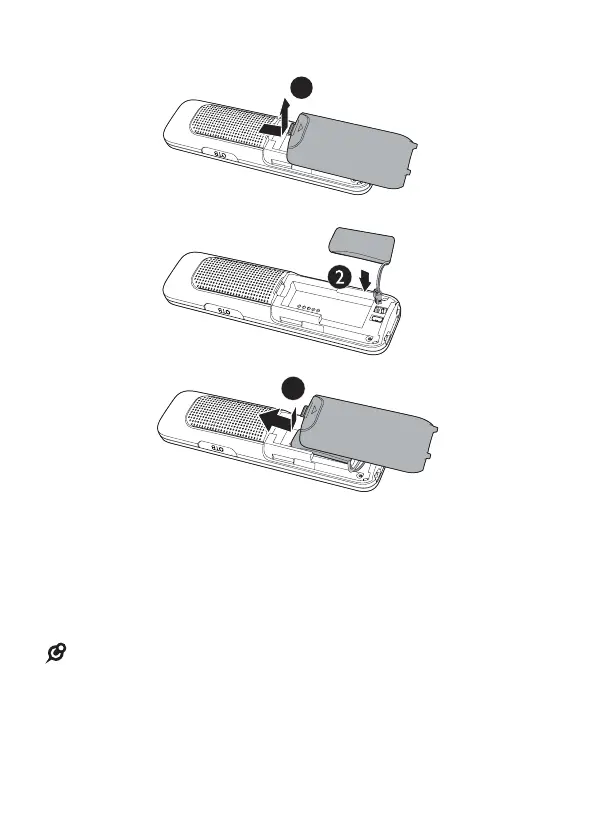
INSTALL THE HANDSET BATTERY
3
1
1. Slide open the battery compartment cover.
2. Insert the Ni-MH battery pack into the battery
compartment, according to the polarity.
3. Slide the battery compartment cover back into place,
until you hear a click sound.
NOTE
• Use only the battery provided.
• Charge the battery provided with this product only in
accordance with the instructions and limitations specied
in this manual.
• If the handset will not be used for a long time, disconnect
and remove the battery to prevent possible leakage.



 To Next Page