EasyManua.ls Logo

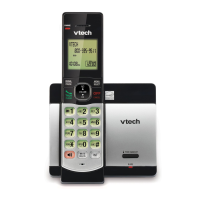
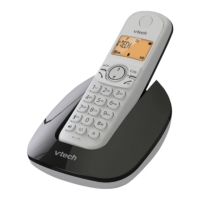
VTech CS1300 - User Manual

VTech CS1300
28 pages
Print Icon
To Next Page IconTo Next Page
Loading...
User’s manual
www.euphones.vtech.com
CS1300-B

Questions and Answers

  • A
    Angela CookAug 11, 2025
    How to fix a VTech CS1300 that doesn't work?
    • J
      Jesse DunnAug 11, 2025
      If your VTech Cordless Telephone isn't working, ensure the batteries are correctly installed and charged. For best performance, return the handset to the base after each use. If that doesn't work, remove and reinstall the batteries, then charge for up to 16 hours; if it still fails, replace the batteries. Also, check that the power adapter is securely plugged into an outlet not controlled by a wall switch and that the telephone line cord is firmly connected to both the base and the wall jack.
  • J
    Jackson ThompsonAug 27, 2025
    Why does my VTech CS1300 have interference or fade out?
    • L
      Lindsey LindseyAug 27, 2025
      If you experience interference or call fading with your VTech Cordless Telephone, try these steps: First, move the handset closer to the telephone base. If you have high-speed internet (DSL), install a DSL filter between the base and the wall jack. Move any nearby appliances or cordless phones to a different outlet. Keep the telephone away from other electronic devices. If it's plugged in with a modem or surge protector, relocate either device. Place the base in a central location, away from obstructions. To test, disconnect the base and plug in a corded phone. If other phones have the same issue, contact your telephone service provider.

VTech CS1300 Specifications

General IconGeneral
BrandVTech
ModelCS1300
CategoryCordless Telephone
LanguageEnglish

Related product manuals