3
14 –
• Press repeatedly to review the
redial list.
• Press and hold to insert a dialing
pause while entering a number.
15 –
• Review the phonebook when the
phone is not in use.
• Increase the listening volume
during a call.
• Scroll up while in a menu,
phonebook, caller ID log, or
redial list.
• Move the cursor to the right when
entering numbers or names.
Review the caller ID log when the
phone is not in use.
Decrease the listening volume
during a call.
Scroll down while in a menu,
phonebook, caller ID log, or
redial list.
Move the cursor to the left when
entering numbers or names.
16 – light
• On when the handset is
charging.
•
•
•
•
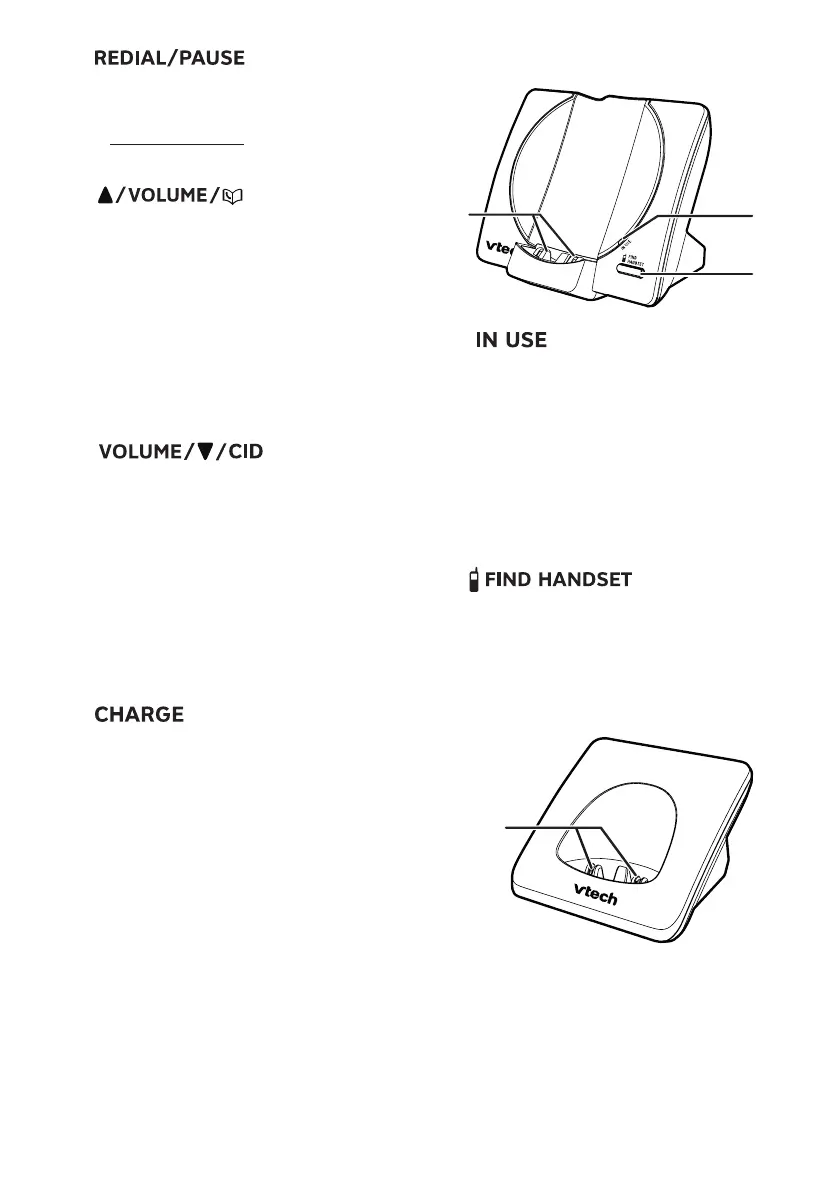
Telephone base overview
1 – light
• Flashes when there is an
incoming call, or another
telephone sharing the same line
is in use.
• Flashes when handsets are
being deregistered.
• On when the handset is in use or
being registered.
2 –
• Press to page all system
handsets.
3 – Charging pole
Charger overview
1 – Charging pole



 To Next Page