EasyManua.ls Logo

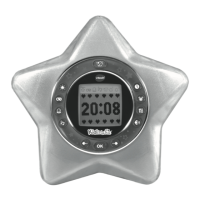
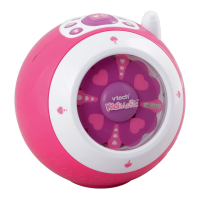
VTech KidiMagic - User Manual

VTech KidiMagic
16 pages
Print Icon
To Next Page IconTo Next Page
Loading...
© 2011 VTech
Printed in China
91-002589-000
Users Manual

Questions and Answers

  • N
    nlewisJul 26, 2025
    What to do if my VTech Clock Radio KidiMagicTM does not turn on?
    • F
      Frederick CortezJul 26, 2025
      If your VTech Clock Radio isn't turning on, there are a few potential causes. First, ensure that the batteries are installed correctly, paying attention to the polarities. Weak batteries can also prevent the unit from powering on, so try replacing them with new ones. Finally, check the AC/DC adaptor connection to make sure it's properly connected.
  • L
    Lacey HernandezAug 6, 2025
    How to improve FM radio reception on VTech Clock Radio?
    • R
      Rhonda PierceAug 6, 2025
      If you're experiencing unclear FM radio with gritty interference on your VTech Clock Radio, it could be due to several reasons. Weak batteries can cause poor reception, so try replacing them. Also, try extending the antenna from the cabinet on the back of the unit to improve radio reception. Positioning the unit nearer to a window with an open and unobstructed view may also help.
  • D
    Douglas HarveyAug 16, 2025
    Why is the fan display abnormal on my VTech KidiMagic?
    • J
      Jeffrey CurryAug 16, 2025
      An abnormal fan display on your VTech Clock Radio can be caused by a couple of things. Weak batteries are a common culprit, so try replacing them with fresh ones. Also, magnetic disturbances can interfere with the display, so keep the unit away from magnets and electromagnetic fields.

Summary

Core Functions and Controls

Time, Alarm, and Message Management

Instructions for setting time, alarms, and personalized messages.

Getting Started and Setup

Battery Installation and Notices

Guide to installing batteries and important notices regarding battery usage and safety.

AC;DC Adapter Connection and Warnings

Instructions for connecting the AC/DC adapter and relevant usage warnings.

Initial Setup and Operation

Initial Setup Process

Steps for the initial setup, including name and time settings.

Using KidiMagic Features

Time Display and Standby Mode

How to view time, turn the unit on/off, and manage standby mode.

Detailed Feature Operations

Advanced Features and Games

External Music and Troubleshooting

Troubleshooting Common Problems

Addresses common issues like the unit not turning on or radio interference.

VTech KidiMagic Specifications

General IconGeneral
Power SourceBattery
Product TypeClock Radio
BrandVTech
ModelKidiMagic
FeaturesAlarm Clock, Night Light, Radio, Sound Effects

Related product manuals